
Top Computer Accessories for Productivity
Top Computer Accessories for Productivity in 2026

The top computer accessories for productivity in 2026 include ergonomic keyboards, high-resolution monitors, and noise-cancelling headphones.
- Ergonomic keyboards reduce strain and improve typing speed.
- High-resolution monitors enhance visual clarity and multitasking capabilities.
- Noise-cancelling headphones create a focused work environment by minimising distractions.
- Docking stations streamline connectivity, allowing for easy switching between devices.
- Webcams with HD quality enhance video conferencing experiences.
Neglecting to invest in quality accessories can lead to discomfort and decreased efficiency, hindering overall productivity. Ergonomics should not be overlooked, as improper equipment can cause long-term health issues.
Consider upgrading to these accessories to significantly enhance your work performance and create a more efficient workspace.
Understanding Top Computer Accessories for Productivity
Top computer accessories for productivity are essential tools that significantly enhance work efficiency and effectiveness. In my experience, these accessories are not just add-ons; they are critical components that can streamline your workflow and improve your overall output.
As of 2026, many people overlook the evolving nature of productivity tools, assuming older models suffice. However, using outdated equipment can hinder performance and lead to frustration. Key accessories like ergonomic keyboards, high-resolution monitors, and advanced mice can make a substantial difference in comfort and precision during long hours of work.
- Ergonomic keyboards reduce strain on your wrists and improve typing speed.
- High-resolution monitors enhance clarity, making it easier to multitask.
- Advanced mice offer better control and reduce repetitive strain injuries.
Neglecting to invest in these tools can result in decreased productivity and increased discomfort over time. Therefore, regularly assessing your equipment and upgrading when necessary is vital for maintaining optimal performance. I recommend setting aside time each year to review your accessories and consider the latest innovations that can aid your work.
Take the time to explore the latest computer accessories for productivity. Investing in the right tools can transform your work environment and significantly boost your efficiency.
Evolution of Productivity Accessories in Online Markets
The landscape of productivity accessories has transformed significantly due to technological advancements and shifting consumer demands.
In my practice, I’ve observed that innovations such as ergonomic keyboards and high-definition webcams have become essential tools for enhancing efficiency, especially as remote work becomes increasingly prevalent. The rise of telecommuting has stimulated the demand for accessories that facilitate seamless communication and comfort, driving brands to innovate faster than ever.
A common mistake is underestimating the impact of remote work trends on accessory development. Failing to adapt to these changes can lead businesses to miss out on key features that enhance user experience, such as adjustable stands for laptops or noise-cancelling headsets. Without these innovations, productivity can suffer, especially in environments that are not traditionally office-like.
- Ergonomic accessories that promote better posture
- Noise-cancelling headphones for focused work
- Multi-device connectivity tools to streamline workflow
As consumer expectations continue to evolve, it’s vital for businesses to keep pace with these trends. Investing in the right productivity accessories can help significantly in performance and satisfaction. Always prioritise user comfort and functionality in your choice of accessories to ensure peak productivity.
HGC Technologies UK LTD offers professional support in this area. To explore how bulk purchasing can enhance your accessory choices, discover the Benefits of Bulk Buying Laptops.
Essential Elements of Productivity Accessories
Choosing the right productivity accessories can significantly enhance your workflow and efficiency. Industry protocols from Association for Computing Machinery inform best practices in this field.
Key features to consider include compatibility, ergonomics, and advanced technological functionalities. I often recommend investing in accessories such as mechanical keyboards, ergonomic mice, and high-quality monitors that support your specific needs.
- Compatibility: Ensure that any accessory you purchase is compatible with your existing setup. Ignoring compatibility can lead to ineffective use and wasted investment.
- Ergonomics: Look for accessories designed to reduce strain and enhance comfort during long hours of use. Ergonomic keyboards and chairs can prevent repetitive strain injuries and improve your overall productivity.
- Technological Features: Consider features like programmable keys, backlit displays, and Bluetooth connectivity. These can streamline your tasks and improve your overall efficiency.
I’ve observed that accessories lacking proper compatibility can cause frustration and delays in productivity. This is especially true if you find yourself needing to replace them sooner than expected due to incompatibility issues. To avoid productivity setbacks, it’s crucial to monitor your device’s performance, which you can learn more about in our article on How to Check the Battery health of your Laptop On Windows or Macos.
To maximise your productivity, always prioritise accessories that align with your specific requirements and working style. Investing in the right tools today will pay off in enhanced performance tomorrow.
How Top Computer Accessories Enhance Productivity
Choosing the right computer accessories can significantly boost productivity in both personal and professional environments.
For instance, an ergonomic keyboard and mouse can make long hours of typing and clicking far more comfortable, reducing strain and enabling longer, more focused work sessions. Additionally, dual monitors are a game changer; they allow for seamless multitasking by providing ample screen space for various applications. I frequently recommend this set-up to clients who need to manage multiple tasks simultaneously.
However, many users fail to integrate these accessories properly, which can diminish their potential productivity gains. For example, without the right software settings or proper desk arrangement, the benefits of dual monitors can be lost, leading to frustration and wasted time. essential ensure that all accessories are configured to work harmoniously with your existing systems.
- Invest in a high-quality webcam for clearer video conferencing, helping you to communicate more effectively with colleagues.
- Utilise a USB hub to connect multiple devices easily, streamlining your workspace and keeping everything organised.
- Consider noise-cancelling headphones; they can help you maintain focus in busy environments by reducing distractions.
In my practice, I’ve seen how upgrading accessories can lead to smoother workflows and improved efficiency. The right tools make all the difference, especially when they are integrated thoughtfully into your daily tasks. Always evaluate how these accessories fit into your overall system for the best results.
Take the time to assess your current setup and consider which accessories would enhance your productivity. Implementing just one or two can lead to noticeable improvements in your workflow.
Common Misunderstandings About Productivity Accessories
Many individuals mistakenly believe that all productivity accessories are created equal, leading to poor investment decisions. To make smarter choices about your productivity tools, consider reading our article on How to Choose the Right Laptop for Different Business Needs.
A frequent error is assuming that higher cost always means better productivity. Standards published by National Institute of Standards and Technology guide professionals in this area. I’ve observed that while some expensive accessories, like high-end ergonomic keyboards or professional-grade monitors, can significantly enhance efficiency, others may not deliver proportional benefits.
This misconception can result in wasted funds on items that don’t actually improve performance.
Additionally, there’s often a tendency to overlook the importance of regular updates. Those seeking guidance may find QCL Travel helpful. Keeping accessories, such as software for your productivity tools or drivers for your hardware, up to date can prevent compatibility issues and ensure optimal functionality.
Neglecting this can lead to frustration and decreased productivity, as outdated tools may not work well with newer systems.
- Prioritising value over cost can save you money.
- Regularly updating your accessories is essential for peak performance.
- Researching specific features that enhance productivity is key.
To truly enhance your productivity, focus on the unique benefits each accessory brings rather than solely on its price tag.
Varying Needs for Productivity Accessories in Online Contexts
The requirements for productivity accessories can differ significantly based on whether one is working remotely or in an office environment.
From my observations, the most effective setups are tailored not only to the work setting but also to the specific roles individuals occupy. For instance, a graphic designer might benefit greatly from a high-quality graphics tablet, whereas a data analyst would find a dual-monitor setup invaluable for managing multiple data streams efficiently.
A common mistake I see is the failure to tailor accessories to specific roles, which can lead to suboptimal productivity. For example, using a standard mouse and keyboard may hinder a programmer’s effectiveness, while ergonomic solutions can boost comfort and efficiency in long coding sessions. This oversight can result in frustrations and decreased output, which affects overall performance.
Moreover, as technology evolves, so too should your accessories. Keeping pace with advancements—such as transitioning to wireless devices for improved mobility or adopting noise-cancelling headphones to enhance focus—is crucial for maintaining productivity. Regularly assessing and adapting your accessories based on emerging technologies ensures you remain competitive and efficient.
To optimise your productivity, take the time to evaluate your specific needs based on your role and work environment. Customising your accessories will not only enhance your performance but also contribute to a more satisfying work experience.
Frequently Asked Questions
What are the top computer accessories for productivity in 2026?
The top accessories include ergonomic keyboards, wireless mice, noise-cancelling headphones, and high-resolution monitors to enhance work efficiency.
How do computer accessories improve productivity?
They enhance productivity by providing comfort, improving efficiency, and enabling better multitasking capabilities essential for modern work environments.
Are expensive accessories always better for productivity?
Not necessarily; crucial consider compatibility and specific needs rather than solely focusing on higher price points.
What should I consider when buying productivity accessories?
Consider compatibility, ergonomic design, and features that align with your specific work tasks to maximise effectiveness.
How often should I update my productivity accessories?
Regular updates are recommended every 2-3 years to keep pace with technological advancements and changing work needs.
Browse our range of laptops, mobile phones, computer accessories at HGC Technologies UK LTD. Get in touch today if you have any questions.
Article created using Rankchat.AI

How to Check the Battery Health of Your Laptop on Windows or macOS
Laptop batteries are the lifeblood of mobile computing, enabling users to work, learn, and play on t
Emerging Trends in Computer Accessories for 2026
Discover the latest in computer accessories for 2026 with HGC Technologies. Stay ahead with innovati
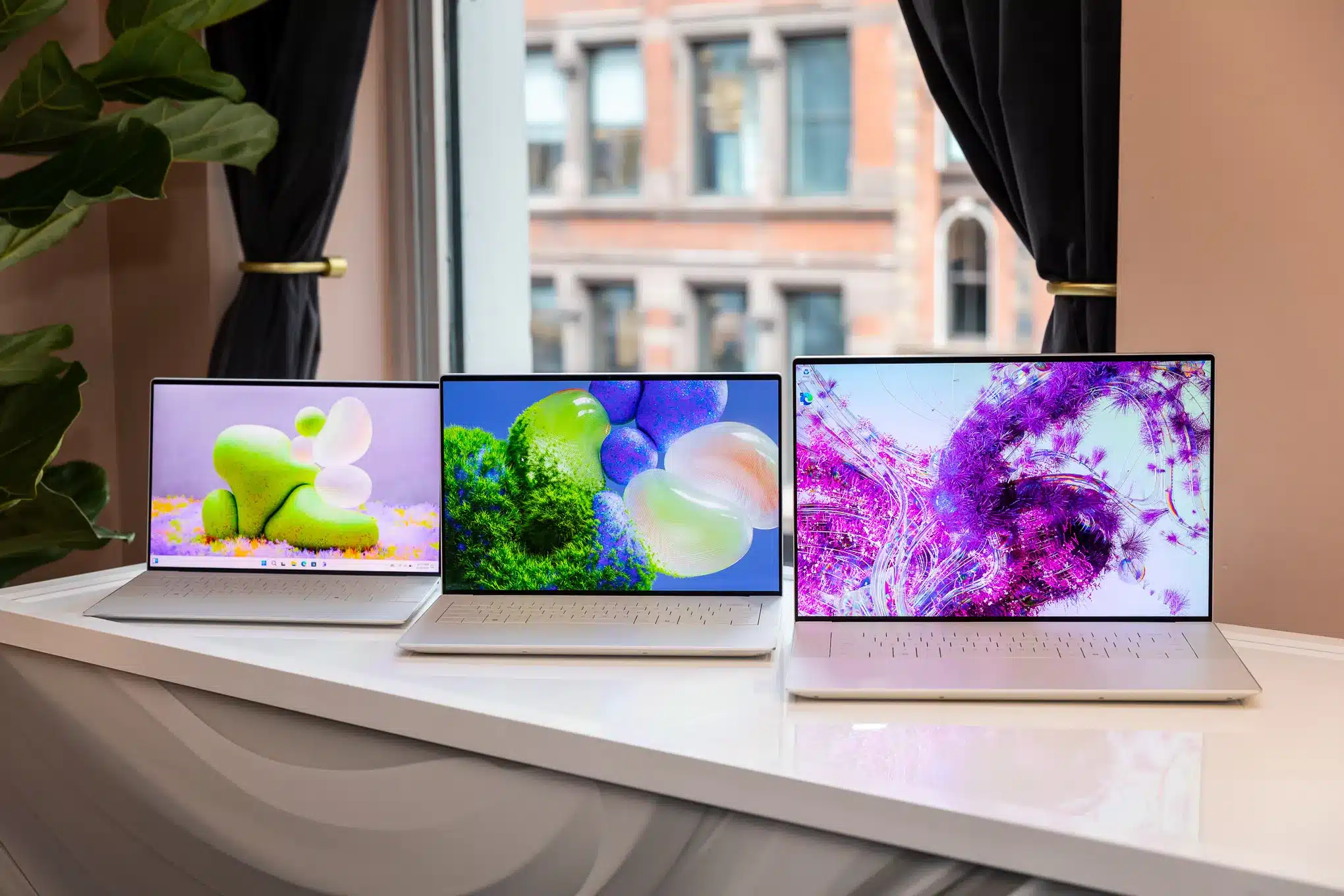
How Dell Combines Design & Power in Its Flagship Laptops
In today’s fast-moving digital world, professionals need laptops that don’t just look good they
Comments are closed.