
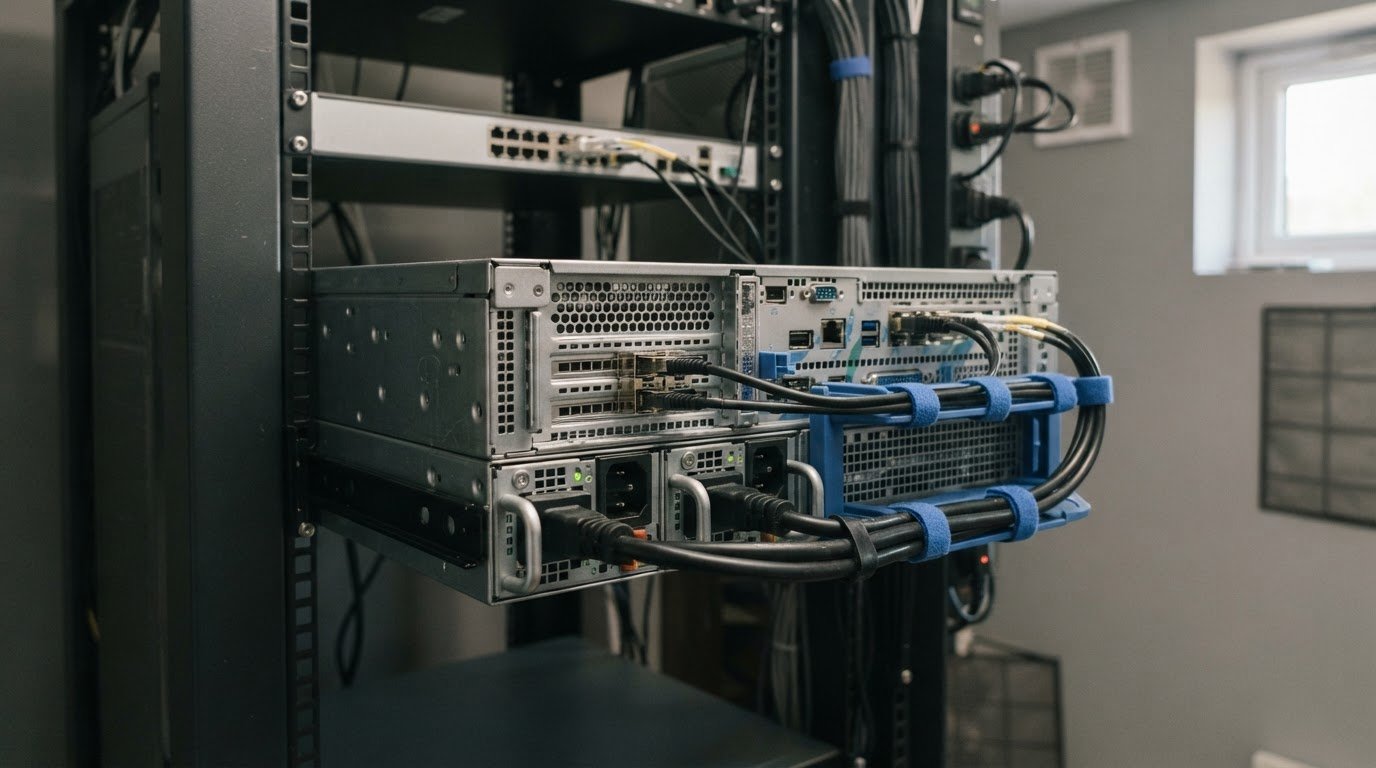
Custom Business Server Hardware Specifications for Your Workloads
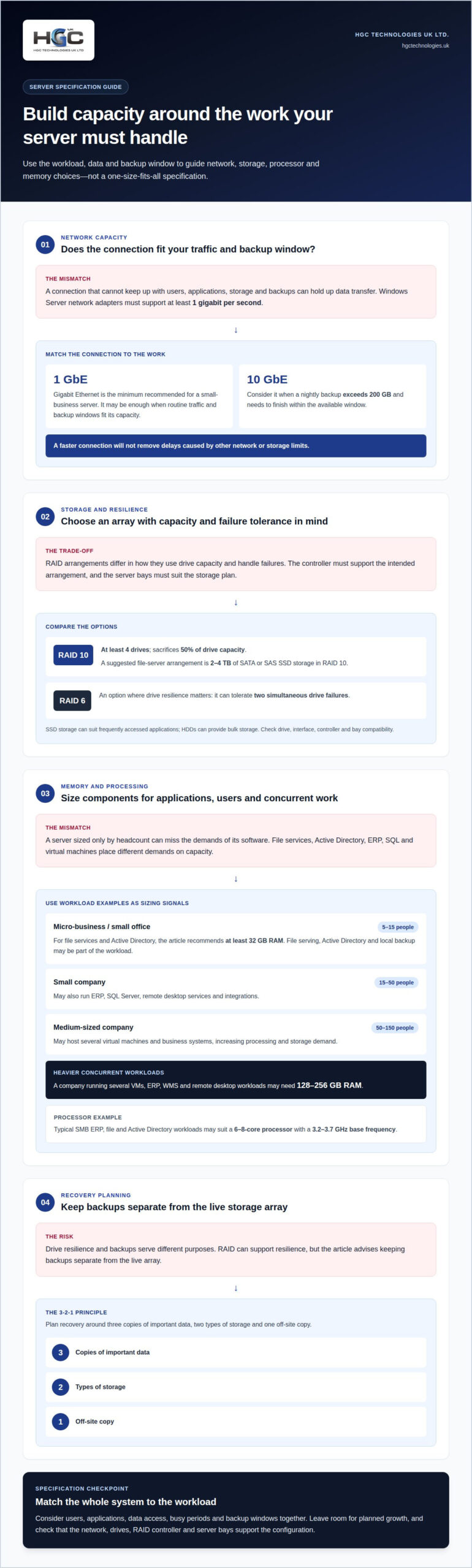
Gigabit Ethernet is the minimum, but 1 GbE isn’t right for every workload. For a small-business server, 1 GbE can be enough when everyday traffic and backup windows fit its capacity. Consider 10 GbE when a nightly backup exceeds 200 GB and needs to complete within the available window. The right custom business server hardware specifications also depend on what the server runs and stores.
Choosing a network connection is only one part of the decision. The processor, memory and storage must support your applications and users, while the operating system, installation space, noise and power requirements affect where and how the server can operate.
This guide explains how to match those choices to your business workloads, from file serving and business systems to virtual machines. You’ll learn what to consider for core components, network capacity, the operating system and the physical environment, so you can assess a configuration against the demands it needs to handle.
Key Takeaways
- Match network cards to traffic and backup needs, and consider how RAID controllers and rail kits affect storage resilience and installation.
- Choose processor, memory and storage around the applications you run, leaving room for workloads to grow.
- Map server capacity to the users, virtual machines and business systems it must support rather than relying on a one-size-fits-all configuration.
- Factor in operating system requirements, rack dimensions, noise and power so the server fits both its workload and its physical environment.
What will you need to create a custom hardware server?
Plan network, storage and mounting hardware alongside the server’s processor and memory. For example, a 1 GbE connection may suit routine small-business traffic, while larger backups can require more capacity.
Network cards and interface choices
A network interface card (NIC), also called a network card, connects the server to other devices and networks. Its capacity affects how quickly users and applications can exchange data. For Windows Server, the network adapter must support at least 1 gigabit per second throughput. RAM and the NIC serve different needs: memory supports the operating system and applications, whilst the NIC handles network traffic. Size both for the work the server will perform.
Throughput, connectivity and bandwidth
Throughput is the data rate a connection can deliver, while bandwidth describes its capacity. Gigabit Ethernet is the minimum recommended network connection for a small-business server. Consider 10 GbE when a nightly backup exceeds 200 GB and must finish within the available backup window. The right choice depends on traffic between users, applications, storage and backup destinations. A faster connection won’t remove delays caused by other network or storage limits.
RAID controllers and rail kits
A RAID controller manages drives configured together for performance or resilience; a rail kit supports mounting a server in a rack. Check that the controller supports the intended drive arrangement and that the server’s bays suit the storage plan. For example, RAID 10 uses at least four drives and sacrifices 50% of their capacity. Rail kits must fit the server and rack, so include mounting hardware in the specification rather than treating it as an afterthought.
Network and RAID recommendations
Choose 1 GbE for a small-business server when its traffic and backup window fit that connection; use 10 GbE if a nightly backup above 200 GB needs to complete within the available window. For a file server, a suggested arrangement is 2-4 TB of SATA or SAS SSD storage in RAID 10. RAID 6 can tolerate two simultaneous drive failures, making it another option where drive resilience matters. Match the controller, drives and network to the workload, not just the headline speed.
Custom server components: processors, memory and storage
Custom business server hardware specifications should reflect the applications, data and growth the server must support. For resilience, choose a RAID arrangement suited to the drives, and keep backups separate from the live array. The 3-2-1 principle means three copies of important data, two types of storage and one off-site copy.
Storage capacity and performance
Storage capacity is how much data a server holds; performance is how quickly it reads and writes that data. Both affect application response and room for growth. A file server or small-company server may use 2-4 TB of SATA or SAS SSDs in RAID 10. For an archive, consider data access patterns and capacity needs when deciding whether hard drives suit the workload.
SSDs and M.2 storage
SSDs use flash memory for faster data access and retrieval than conventional hard drives. They can suit frequently accessed applications, while HDDs can provide bulk storage; combining both can balance speed and capacity. M.2 cards offer another storage form, but the motherboard or adapter must support the card and available slot. Check compatibility with the drive interface, server connections and intended RAID arrangement before selecting components.
Memory and storage recommendations
Processor, memory and storage choices should follow the operating system and installed applications. Typical SMB ERP, file and Active Directory workloads may suit a 6-8-core processor with a 3.2-3.7 GHz base frequency. A micro-business server for 5-15 people using file services and Active Directory should have at least 32 GB of RAM. A company running several virtual machines, ERP, WMS and remote desktop workloads may need 128-256 GB. Additional memory can support heavier concurrent workloads and planned growth.
Custom business server hardware specifications can allow for future upgrades to storage, memory or processing power. For a configuration aligned with your workload, explore server configuration options.
Matching server hardware to business workloads
Custom business server hardware specifications should reflect the software, users and data the system must support. In the UK, hardware is one part of protecting personal data. Choose a configuration that supports your security controls and recovery approach.
Workloads and hardware requirements
A workload is the demand applications place on processing, memory, storage and network resources. This matters because business software and connected devices share server capacity. File serving and Active Directory have different demands from a SQL database or virtual desktop environment. Before selecting a physical machine, map each application to its users, data access patterns and busy periods.
Workload sizing by business size
Business size offers a starting point, but the mix of workloads shapes the final configuration. A micro-business or small office with 5-15 people may need file serving, Active Directory and local backup. A small company of 15-50 people may also run ERP, SQL Server, remote desktop services and integrations. A medium-sized company of 50-150 people may host several virtual machines and business systems, increasing demand on processing and storage.
Custom business server hardware specifications should also account for how systems run together. For SMBs without dense virtualisation, very large parallel SQL workloads or terminal access for more than 50 employees, one CPU socket may be suitable. Application concurrency and virtual machine load matter more than headcount alone.
Data protection and security requirements
For UK businesses handling personal data, choose hardware that can support the security measures used to protect and restore it. Secured-core server deployments require TPM 2.0. Consider this alongside software controls and the server’s role, such as hosting a database or storing shared files. The required configuration depends on what information the system processes and how it is accessed.
Plan recovery as well as prevention. The 3-2-1 backup principle calls for three copies of important data, two types of storage and one off-site copy. Keep backup capacity and access distinct from everyday server activity to support a recovery plan.
Operating system, rack space, noise and power requirements
Plan the operating system and physical installation alongside the server configuration. Rack fit, cooling and electrical resilience all affect where components can operate reliably.
Operating system requirements
The operating system determines which hardware and firmware features the server must support. Windows Server requires a 1.4 GHz 64-bit processor at minimum, and its minimum system partition space is 32 GB. Certain features need a UEFI-based system with Secure Boot support conforming to UEFI version 2.3.1c. For computers with more than 16 GB of RAM, allow extra boot-partition space for paging, hibernation and dump files.
Rack space and installation
Rack space describes the physical height and fit available for server installation. A standard server rack is 19 inches wide, and one rack unit measures 44.45 mm, or 1.75 inches, high. Use those measurements to match the server chassis and rail kit to the rack. Also account for the depth needed by the chassis, cables and airflow, so installed components remain accessible.
Power, cooling and noise
Power and cooling requirements follow the server’s components and operating load. Processors, drives and other hardware draw power and release heat, so the installation needs suitable airflow and electrical capacity. In a shared office, fan noise can also affect the location decision. A 90-degree handle design for power supply units is described as reducing vibration and noise, then folding away to save space.
Power supply units and redundancy
A power supply unit (PSU) converts electrical input into power for the server’s components. N+1 power redundancy uses two hot-plug power supplies, each capable of powering the whole server. This configuration lets one supply support the server if the other fails, reducing reliance on a single PSU. Match the supply arrangement to the server’s total power needs and installation plan.
Explore server solutions for business workloads when planning a configuration around operating system, rack and power requirements.
HGC Technologies UK: Bulk Dell Refurbished Laptops
HGC Technologies UK Ltd. supports wider workplace technology plans with bulk refurbished laptops and custom-built PCs. Once you’ve defined server capacity and applications, consider which computers employees need to access business systems. Bulk refurbished Dell, Lenovo and HP laptops can suit organisations equipping teams or resellers sourcing devices in quantity. Custom-built PCs are another option when desktop requirements call for a tailored configuration.
These offerings cover end-user equipment rather than server sizing, so consider them when your project includes both infrastructure planning and business computers. Matching servers and user devices to the applications they need to run helps keep procurement focused on practical requirements.
Contact HGC Technologies UK Ltd. or visit hgctechnologies.uk to discuss your business computer requirements.
Turn your specification into a practical next step
Use your requirements as a working brief for procurement and future planning. Record the workloads the server must support, the constraints of its installation environment and your organisation’s priorities. This gives your team a consistent basis for comparing configurations and revisiting decisions as applications or user needs change.
The same planning approach can clarify where you need dedicated server capacity and where employee devices form part of the wider technology requirement. Keep those needs distinct, then consider how they fit together across your working environment. A clear brief makes the conversation more focused, whether you’re refining a server design or planning complementary equipment.
For support with business server requirements, contact HGC Technologies UK to discuss the next step. Bring your priorities and workload requirements, and move forward with a specification shaped around the way your organisation works. A considered plan puts you in a stronger position to make confident technology decisions.
Frequently Asked Questions
Network card: is 1 GbE enough?
Often, yes: 1 GbE can handle routine office traffic when users mainly access documents and business applications. The practical test is whether concurrent transfers, remote access and backups slow one another during busy periods. Map those peak demands rather than relying on average use. A faster network connection only helps if the connected switches and cabling can support it too.
What server hardware specifications suit a small business?
For a small business, select hardware around its services, not staff numbers alone. A file server and Active Directory for 5-15 people has different demands from a server hosting an ERP database or remote desktops. A 32 GB memory baseline suits the first example, while processor capacity, storage and expansion options should reflect the installed software and expected workload growth.
How much RAM, CPU and storage does a business server need?
There’s no single specification for every business server. A typical SMB running ERP, file services and Active Directory may use a 6-8-core processor with a 3.2-3.7 GHz base frequency. A file server or small-company server may use 2-4 TB of storage. Treat these as workload-based starting points, then account for concurrent users, data growth and application requirements.
What are the best server specifications for virtualisation and business applications?
For virtualisation, prioritise memory and processing capacity according to the number and demands of the virtual machines. A company running several VMs, ERP, WMS and remote desktop workloads may need 128-256 GB of RAM. Check how many workloads run together at peak times, and allocate capacity for the host operating system as well as each VM. Storage performance also affects application responsiveness.
How do tower, rack and blade servers compare for business use?
Tower servers use a standalone chassis and can suit an office without a server rack. Rack servers mount in a rack, helping organise equipment in a dedicated IT space. Blade servers use shared enclosures designed to house multiple server modules. Compare installation space, access, cooling and the infrastructure each format requires, then choose the physical design that fits your site.
What are typical UK prices for custom business server hardware?
UK server prices depend on the configuration, including the processor, memory, drives, RAID hardware and network capacity. The total budget should also account for the operating system, applications and support, not just hardware. Compare proposals against the same workload and specifications, including storage capacity and redundancy, to make differences clear. A headline figure without those details won’t show whether a server meets your requirements.

Data-Intensive Server Hardware: 2026 Procurement Guide
With server DRAM contract prices surging by up to 95 per cent in early 2026 and major OEMs hiking li

Common Problems with Ex-Lease Laptops: A 2026 Procurement Guide
Did you know that battery-related faults account for 26% of all reported laptop issues, making them

Enterprise Laptop Deployment Strategy: The 2026 Guide to Bulk Rollouts
What if your next hardware rollout didn't involve a single IT staff member touching a device? For ma