
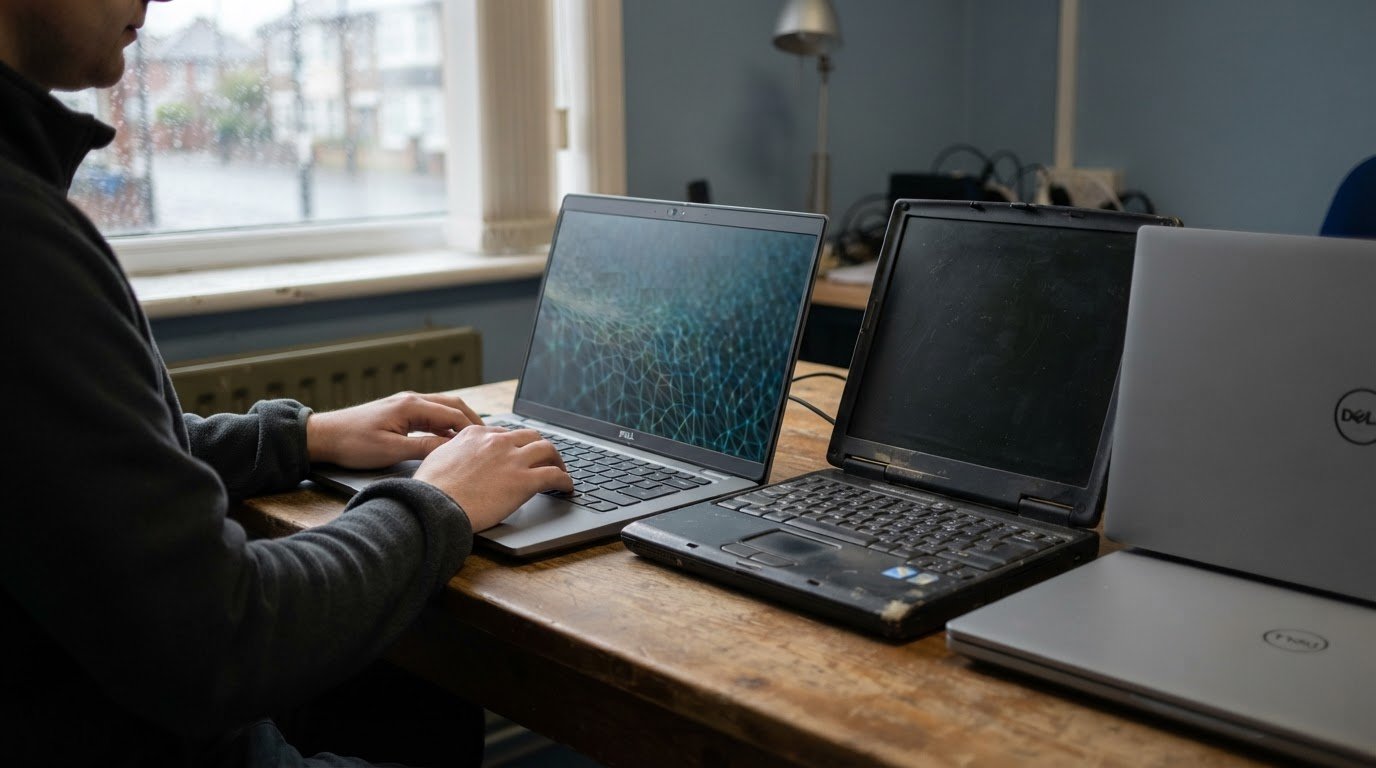
Laptop fleet hardware refresh: compare new and refurbished laptops
A refurbished laptop can be a Windows 11-ready choice for a laptop fleet hardware refresh, but compatibility depends on its specifications. Eligible refurbished laptops running Windows 10 Pro can upgrade to Windows 11 Pro at no cost, with the existing digital licence carrying over. The processor must be supported, with Intel Core 8th generation or newer and AMD Ryzen 2000 or newer practical thresholds, and the device needs TPM 2.0.
It’s sensible to weigh purchase cost against the support life and suitability of each device, rather than assuming new is always the better fit. This guide explains how to assess Windows 11 eligibility, choose a refresh cycle for a small business and recognise when ageing laptops are affecting day-to-day work. It also compares the cost considerations of new and refurbished fleets, so you can make a more informed decision about your next refresh.
Key Takeaways
- Refurbished business laptops can run Windows 11 when their processor and security features meet the system requirements.
- Set refresh timing around each role’s workload and the device’s remaining security support, rather than applying one cycle to every laptop.
- Compare refurbished and new fleet costs alongside licensing, support and the number of devices your budget can cover.
- Recurring repairs, weakening batteries and rising support needs can signal that replacement is more practical than continued upkeep.
Windows 11 eligibility for refurbished business laptops
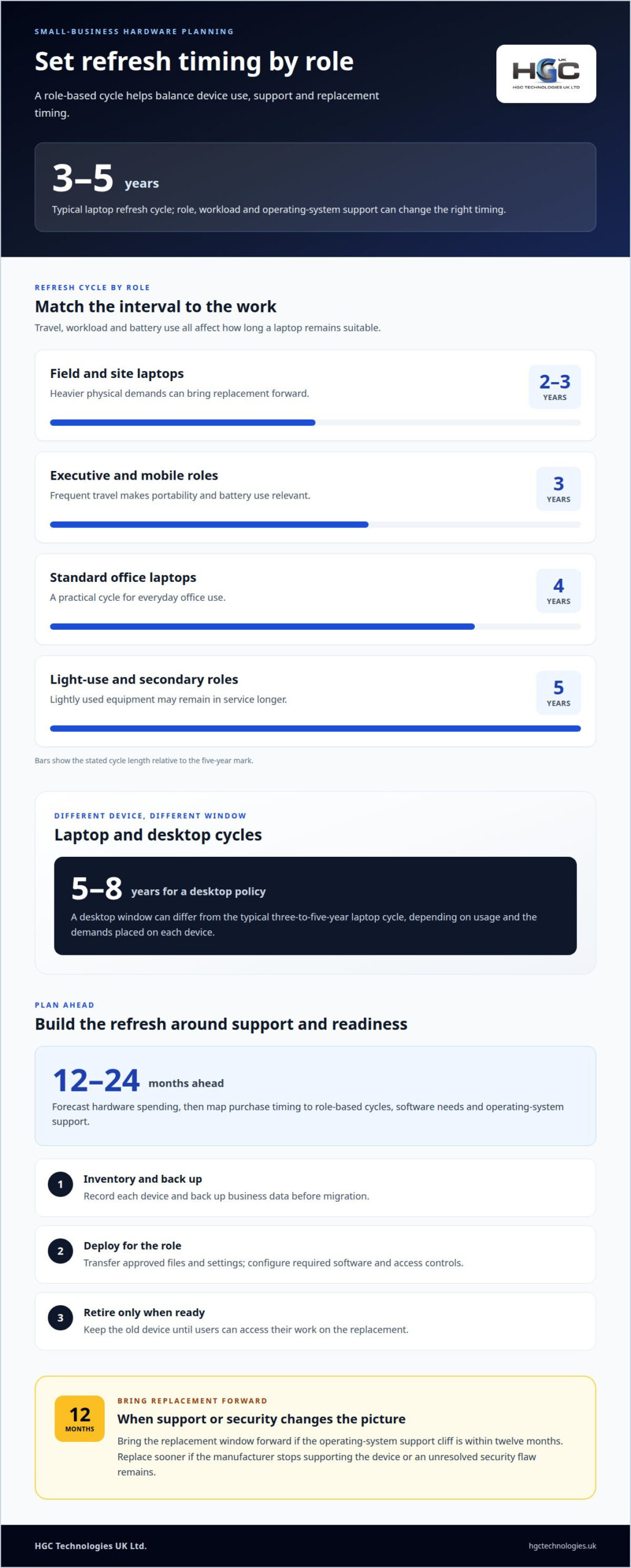
Build eligibility into the laptop fleet hardware refresh policy, not just the purchase shortlist. Set a replacement window of 4 to 5 years, then bring it forward if the operating-system support cliff is within 12 months. Replace a device sooner if its manufacturer stops supporting it or an unresolved security flaw remains. This keeps security support central to replacement timing.
Windows 11 requires a supported 64-bit processor, TPM 2.0 and at least 4GB RAM. Practical processor thresholds are Intel Core 8th generation or newer, or AMD Ryzen 2000 or newer. Business laptops from roughly 2018 onward generally have TPM 2.0, but the model and configuration matter. Check processor compatibility before selecting refurbished laptops for a fleet refresh.
Windows 10 laptops without Extended Security Updates are outside routine vendor security patching. Eligible refurbished Windows 10 Pro laptops can upgrade to Windows 11 Pro at no cost, with the existing digital licence carrying over. Refurbished status alone doesn’t decide eligibility; hardware and licence status do.
Should a business lease or buy? Leasing can align payments with a planned replacement cycle, while buying gives the business ownership. Compare the full-term cost, refresh timing and support responsibilities before choosing.
To compare business laptop models, match processor generation, TPM 2.0, memory and storage to each role. For office work, 16GB RAM and a 256GB SSD are sensible baselines. Check that each device’s specifications meet Windows 11 requirements as well as employees’ application needs.
What UK rules apply to disposing of or recycling old business laptops? WEEE regulations govern the controlled recycling of retired devices in the UK. Include secure data removal and responsible recycling in the retirement process, rather than treating disposal as an afterthought.
Measure refresh ROI by comparing purchase and deployment costs with repair spending, support effort and disruption caused by ageing devices. Track these costs before and after replacement, and assess whether the new fleet meets users’ needs. This gives the business a practical basis for evaluating the refresh.
What is the ideal laptop refresh cycle for a small business in 2026?
A typical enterprise laptop refresh cycle is three to five years, but role and workload affect the right timing. In 2026, small businesses can plan around usage, operating-system support and the cost of keeping older devices productive.
Refresh cycle lengths by role
A role-based refresh cycle sets different replacement intervals for different users. Executive and mobile-role laptops are commonly refreshed every three years, while standard office laptops follow a four-year cycle. Light-use and secondary-role devices may remain in service for five years; field and site laptops may need replacement after two to three years. Matching the cycle to travel, workload and battery use helps avoid replacing lightly used equipment too early or keeping heavily used devices too long.
Laptop and desktop refresh cycles
Laptops and desktops can follow different replacement windows because their uses and physical demands differ. A typical laptop cycle is three to five years, while a desktop policy can set a five-to-eight-year window, depending on usage. For example, a travelling employee may rely on a laptop’s battery and portability, while a fixed workstation faces different demands. Separate schedules make purchasing decisions better reflect how each device supports daily work.
Planning a laptop refresh cycle
Refresh-cycle planning forecasts replacements before devices become difficult to support. Forecast hardware spending 12 to 24 months ahead, then map purchase timing to role-based cycles, software requirements and operating-system support. A small business considering a three-year cycle in 2026 can stagger replacements by team, making deployment easier to coordinate and budget. Review the schedule when a role’s software needs change or device performance no longer suits its work.
For a secure migration, inventory each device and back up business data. Transfer approved files and settings, then deploy the replacement with the required software and access controls. Retire the old device only after users can access their work on the new one.
Businesses planning a staged buying programme can consider bulk refurbished laptops as one option within their replacement schedule.
Cost comparison of new and refurbished fleet refreshes
Compare the full purchase cost, not just the initial price of each laptop. A fleet budget should account for the device, deployment, required software, licensing, support and replacement timing. These costs show the value of a refresh more accurately than the purchase figure alone.
Refurbished business laptops can stretch a fixed budget, allowing a business to consider more devices or allocate funds elsewhere. Their value depends on whether each model suits the role, including its processor capability, memory, storage and physical condition. A mobile role may prioritise portability and battery performance, while an office-based enterprise user may need a different specification.
New laptops may suit roles that require a specific current component or configuration. Refurbished models can suit standard tasks when their specifications meet the organisation’s software requirements. Compare like with like: assess the same workload, required applications and expected service period before deciding whether a refurbished or new device offers better value.
Include costs beyond hardware in the comparison. A procurement example covers Year 1 licensing and support, followed by ongoing support and licensing for Years 2-5. This illustrates why a low purchase figure alone cannot show the full cost of ownership. Separate hardware, licensing and support in the budget to see how each choice affects spending over time.
For example, a small business replacing office laptops could compare two equivalent fleet plans. One uses new devices; the other uses refurbished laptops that meet the same user requirements. Compare deployment effort, software compatibility, support arrangements and the likely replacement point, then assess the total planned spend. If specifications differ, record the trade-off rather than treating the devices as equivalent.
A sound purchase decision balances affordability, useful life and suitability. Match each device to its role, then compare the full cost of each fleet option. This clarifies the refresh budget and helps avoid paying for specifications employees do not need.
What are the signs that a laptop fleet needs replacing?
Look for patterns across the fleet, not just a single faulty laptop. Battery capacity below 70 per cent of design capacity across a cohort points to broader wear. Recurring repairs also favour replacement over repeated upgrades, particularly when several devices disrupt work or need the same repairs.
Age and support costs add useful evidence. Most enterprise laptop warranties expire at 36 months, while help desk tickets for laptops older than 48 months tend to increase. These are signals to review a fleet, not automatic retirement dates. Compare each device’s repair history and support burden with its role and remaining usefulness.
- Battery decline: A cohort below 70 per cent of design capacity may no longer suit employees who rely on mobile working.
- Repeated faults: Recurring repairs across the same devices can make a refresh more practical than continued upgrades.
- More support demand: Rising help desk tickets for laptops older than 48 months can indicate that ageing hardware is affecting productivity.
- Security support ending: The University of Puget Sound retires computers that can no longer receive security updates. A device without updates can expose the organisation to unresolved vulnerabilities.
Assess performance against current software requirements, too. A machine that struggles with essential applications may delay everyday tasks, even if it still turns on. Memory expectations also change: 16GB was sufficient in earlier years, before 32GB became the recommended standard for professionals in 2026. Treat that change as a prompt to review actual workloads, not a reason to replace every laptop automatically.
Bring these indicators together before scheduling replacements. If several devices show battery deterioration, recurring faults and rising support needs, a coordinated refresh may be more effective than isolated repairs. If only one laptop is affected, replacing that device may be the more proportionate response.
For a planned replacement involving refurbished devices, explore refurbished business laptops through HGC Technologies UK Ltd. as part of the fleet review.
HGC Technologies UK
HGC Technologies UK supports business refresh plans with bulk refurbished laptops from Dell, Lenovo and HP, as well as custom-built PCs. These options help businesses source devices for different roles and align specifications with their intended use and replacement schedule.
Consider HGC Technologies UK when your refresh plan calls for refurbished laptops in bulk or custom-built PCs for specific business requirements. Matching device choices to user needs and budget helps keep procurement decisions focused on fleet suitability and value.
Contact HGC Technologies UK to discuss your business’s laptop refresh requirements.
Build a refresh plan that can evolve
Make your laptop fleet hardware refresh part of ongoing business planning, rather than a response reserved for device failures. Record the roles each device must support, the software those roles depend on and the conditions that would trigger replacement. This gives future purchasing decisions a consistent basis, even as teams and working practices change. Review the plan alongside budget priorities so procurement reflects actual business needs.
HGC Technologies UK supplies bulk refurbished laptops from Dell, Lenovo and HP. These can form part of a refresh plan when refurbished devices suit the required roles and specifications. Consider how different device choices fit your organisation’s needs, then shape your purchasing approach accordingly.
Contact HGC Technologies UK to discuss your fleet requirements and plan the next stage with confidence.
Frequently Asked Questions
Do refurbished laptops come with Windows 11?
Some refurbished laptops are supplied with Windows 11, while others may run Windows 10 or arrive without an operating system. Refurbished describes a device’s previous use and condition, not its software installation. Before assigning a model, match its processor, TPM 2.0 and memory to Windows 11 requirements. Also distinguish an installed operating system from upgrade eligibility, which depends on the device and its licence.
Does a laptop refresh strategy really improve employee productivity?
A refresh can improve productivity when it removes a specific barrier to work, such as recurring faults, poor performance with essential software or unreliable battery life during mobile work. Replacing every device without considering its users may not deliver the same benefit. Compare support tickets, repair interruptions and employee workflows before and after deployment. This helps show whether the refresh addressed problems affecting daily tasks.
How do I ensure data is securely wiped from old laptops?
Use your organisation’s approved data-erasure process before a retired laptop leaves its control. First, identify the device and its storage, then preserve required business records and confirm authorised backups. Apply an appropriate secure-erasure method, document the device identifier and erasure outcome, and restrict access during retirement. If the drive cannot be erased reliably, keep the device controlled until an approved disposal route is arranged.
How often should laptops be replaced?
There is no single interval that suits every user. A practical policy can assign replacement timing by workload, mobility, support status and repair history, then adjust when those conditions change. For example, a laptop used for frequent travel may wear differently from a lightly used secondary device. Review each group’s needs so replacement decisions reflect business use, rather than relying on purchase date alone.
What does hardware refresh mean?
A hardware refresh is the planned replacement or upgrade of business equipment to keep it suitable for current work. For laptops, it can involve retiring older devices and introducing replacements across a team, department or organisation. The plan may also include setup, software deployment and secure retirement of superseded equipment. Unlike repairing one faulty laptop, a refresh addresses equipment needs across a defined group.
What is a laptop fleet hardware refresh?
A laptop fleet hardware refresh is a coordinated plan to replace or upgrade laptops used across a business. It sets out which users or devices need changes, what capabilities their work requires and how deployment fits operational needs. For example, an organisation might replace a group whose software requirements have changed while retaining suitable devices elsewhere. This approach connects purchasing decisions to business priorities and planned device lifecycles.

Wholesale Refurbished Laptops for IT Resellers UK: The 2026 Strategic Procurement Guide
The UK refurbished electronics market reached a staggering £7.6 billion in 2025, proving that susta

Refurbished TPM 2.0 Laptops: 2026 Bulk Buying Guide
Check TPM 2.0, the exact processor, firmware and licensing before buying refurbished Windows 11 lapt
Refurbished ultrabooks for executives and business teams
Refurbished doesn’t mean unsuitable for work. Refurbished ultrabooks for executives are previously