
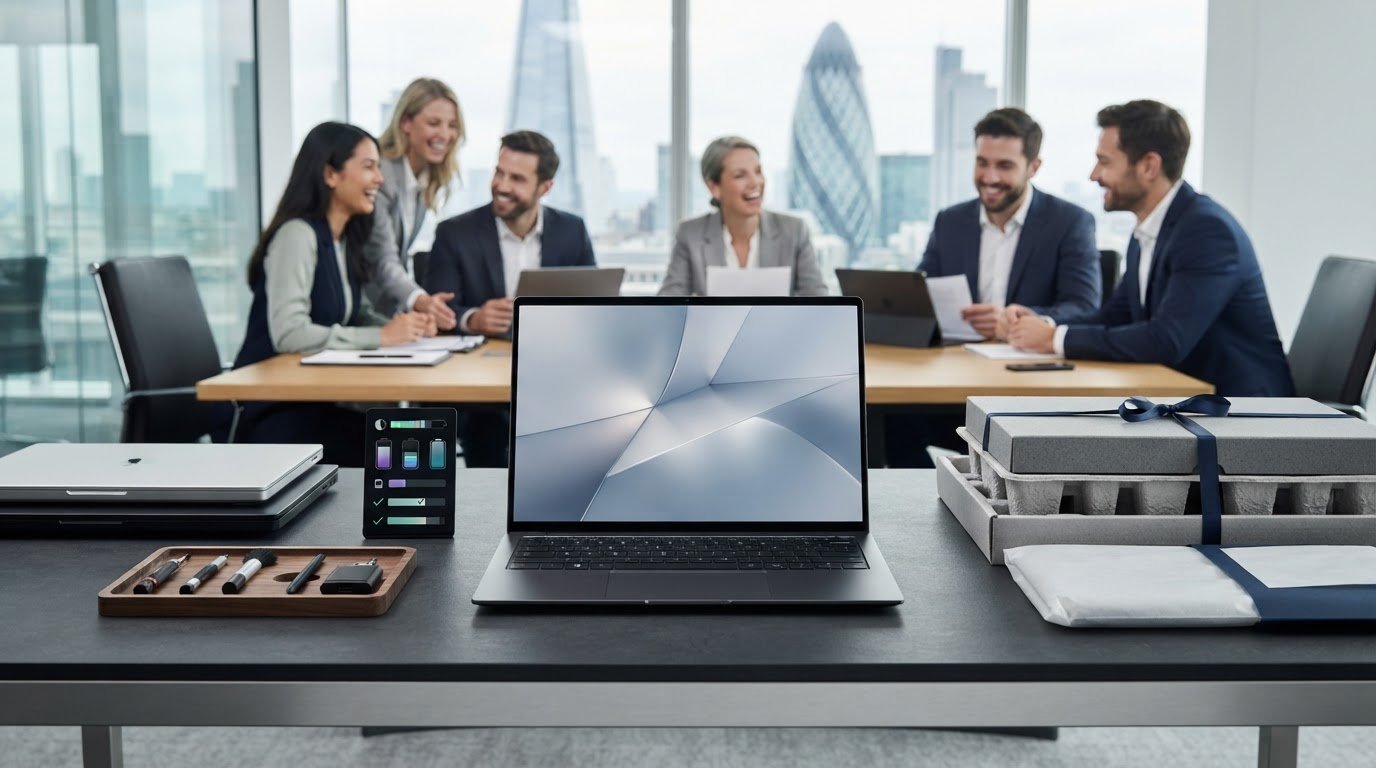
Refurbished ultrabooks for executives and business teams
Refurbished doesn’t mean unsuitable for work. Refurbished ultrabooks for executives are previously used laptops that have been assessed and prepared for resale, but cosmetic condition and warranty terms vary by device and seller. Judge the individual laptop, not the label alone.
It’s sensible to look for dependable performance, a professional appearance and clear after-sales support when choosing a laptop for yourself or a team. This guide explains what refurbishment means, how grades and warranties work, and which practical details matter for business use.
When comparing options, look beyond the headline specification. Consider portability, battery condition, keyboard and screen quality, available ports, and whether a consistent model suits the way your team works. These checks provide a practical framework for deciding whether a refurbished ultrabook fits an executive role.
Key Takeaways
- Assess a refurbished laptop by its processor, memory, storage and battery condition, not by its grade alone.
- Compare cosmetic grades carefully: they describe appearance, whilst warranty terms explain the cover you receive.
- Match the specification to the work, including the screen, keyboard, webcam, microphone and ports your team relies on.
- Consider whether consistency across device brands and models will simplify business use and procurement.
- Explore bulk refurbished Lenovo or HP laptops when sourcing devices for a team, and consider custom-built PCs or original smartphones for other business needs.
Why Refurbished Laptops Make Sense for Business Use?
Refurbished business laptops can deliver professional specifications for 30-70% less than new laptops. For refurbished ultrabooks for executives, assess the device’s condition, configuration and suitability for each role.
Professional Work Suitability
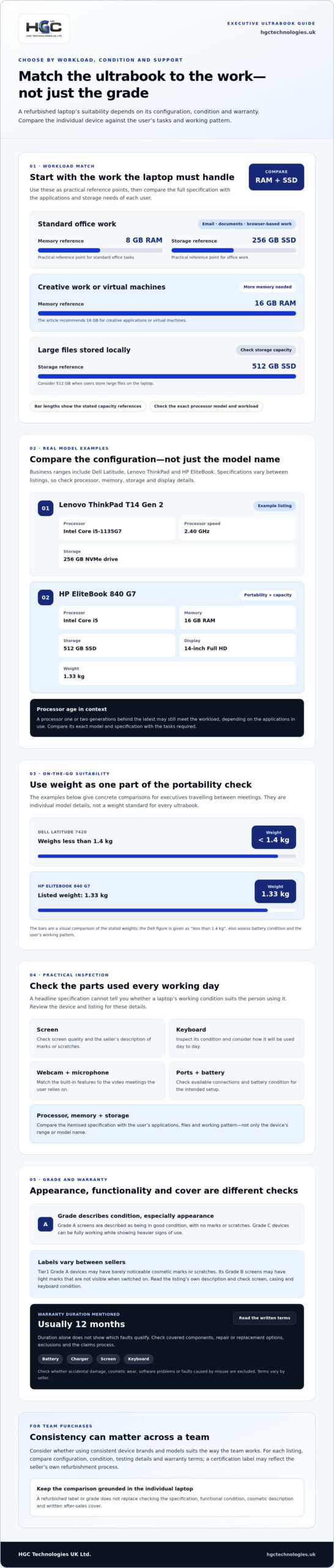
Business-class refurbished laptops can support email, video meetings, documents and browser-based work. Match each device to the applications and working pattern of its user. A Dell Latitude 7420 weighs less than 1.4 kg, offering a concrete portability comparison for executives travelling between meetings.
Check the keyboard, screen, webcam and battery alongside the processor. Standard office tasks can suit 8 GB of RAM, while creative work or virtual machines call for 16 GB. Review cosmetic condition separately from functionality: surface marks affect appearance, while faults can interfere with daily work.
Price and Performance Assessment
Compare like with like: model, processor, RAM, SSD capacity, display and condition. A lower purchase price may reflect older components or visible wear, so assess the full specification rather than the model name alone. A processor one or two generations behind the latest may still meet the workload, depending on the applications in use.
Use 8 GB of RAM and a 256 GB SSD as practical reference points for office work. Choose 16 GB for creative applications or virtual machines, and 512 GB when users store large files locally. An AMD Ryzen processor may suit business workloads; compare its exact model and specification with the tasks required.
Business Laptop Brands and Models
Dell Latitude, Lenovo ThinkPad and HP EliteBook ranges include business-focused refurbished models. Configurations vary within each range, so compare processor, screen and storage details before selecting a laptop. For example, the Lenovo ThinkPad T14 Gen 2 listing includes an Intel Core i5-1135G7 running at 2.40 GHz and a 256 GB NVMe drive.
The HP EliteBook 840 G7 with an Intel Core i5, 16 GB RAM and 512 GB SSD has a 14-inch Full HD display and weighs 1.33 kg. These details help compare portability, screen size and capacity. Choosing refurbished ultrabooks for executives means assessing the specific configuration, not relying on a range’s reputation.
Certified Refurbisher Options
UK electronics retailers, business technology wholesalers and specialist refurbishers sell refurbished ultrabooks, including devices described as certified. The term may reflect a seller’s own refurbishment process, so compare the inspection details, device grade and warranty information attached to each listing.
Look for an itemised specification and a clear condition description. Match the processor, RAM and SSD to the intended workload, then check what the seller says about testing and cosmetic wear. This makes listings easier to compare and helps you decide whether a device meets your organisation’s requirements.
Refurbished grading and warranties
For UK purchases, warranty and returns terms sit alongside protections that depend partly on whether you buy personally or for business. Read the written terms and identify the purchase context before deciding which remedies may apply.
Refurbished Laptop Grading
A grade describes a device’s condition, especially its appearance; it does not replace a specification or functional assessment. Grade A screens are described as being in good condition, with no marks or scratches. Grade C devices can be fully working while showing heavier signs of use.
Labels aren’t universal, so read the seller’s description rather than assuming every grade means the same thing. For example, Tier1 Grade A devices may have barely noticeable cosmetic marks or scratches. Its Grade B screens may have light marks that aren’t visible when switched on. Those descriptions show why the grade and screen condition should be considered separately.
Compare the grade with the intended setting. A laptop used in client meetings may need a cleaner exterior than one assigned to a fixed desk. Check descriptions of the screen, casing and keyboard, then match them to the user’s needs. For a Lenovo ThinkPad or HP EliteBook, ask the same practical questions: what does the grade cover, and what visible wear should you expect?
Warranty Coverage and Exclusions
Refurbished laptops usually come with a 12-month warranty. The written warranty explains the seller’s cover and how to use it; the duration alone doesn’t tell you which faults qualify. Read the terms for covered components, repair or replacement options, exclusions, and any steps required to make a claim.
Pay particular attention to the battery, charger, screen and keyboard. Check whether the warranty excludes accidental damage, cosmetic wear, software problems or faults caused by misuse. Terms vary, so don’t assume that a device’s working grade covers every component or future fault.
If you need to make a claim, keep the order record and warranty information together. Describe the fault, when it began and how it affects use. Follow the stated claims process and retain correspondence. Read the terms before opening the laptop or arranging repairs, as unauthorised work may affect a claim.
Returns and consumer protections are distinct from a seller’s warranty. The relevant route depends on the purchase and circumstances, so keep the receipt, listing description and messages. For business equipment, record who bought it and for what purpose. This information helps establish the context if a fault or disagreement arises.
For teams comparing devices, bulk refurbished laptops can be considered alongside the grade and warranty terms that shape a purchase.
Are refurbished laptops safe and reliable?
Refurbished laptops can reduce equipment costs, but reliability depends on the device’s condition, testing and warranty. Market comparisons describe refurbished laptops as 30-60% cheaper than new models, with some listings up to 60% off original prices. Treat these as broad comparisons, not a guarantee for every model or purchase.
Compare overall value, not just the saving. A lower purchase price matters only if the laptop can handle its intended work and remain serviceable. Check its grade, screen, battery, keyboard and ports, then compare the exact processor and storage configuration. Cosmetic scratches may affect appearance without affecting function, but screen damage can disrupt daily use.
Battery condition is a practical reliability indicator for mobile executives. A battery health level of 80% or more is described as ideal for a refurbished laptop. Consider how the device will be used: a laptop carried between meetings has different demands from one used mainly at a desk. Ask whether the expected runtime suits that pattern.
Remaining service life also shapes value. Refurbished laptops often have 2-4 years of solid use remaining, depending on the model. A new laptop may remain in service for several years with standard business use. That comparison can help teams weigh a lower upfront cost against how long they need each device to serve.
Depreciation matters because technology can lose value as newer generations arrive. A refurbished model may still make sense if its performance meets current software needs, even when its processor is one or two generations behind the latest. For example, an executive using office applications may value a responsive, well-maintained Dell Latitude more than the newest processor generation.
Refurbishment can extend a laptop’s useful life by keeping working equipment in use. For a business, this may reduce the need to replace every device with new equipment at once. The sustainability benefit depends on choosing a suitable model and using it for meaningful work, rather than replacing it again quickly.
Before purchase, use this reliability check:
- Compare the grading with visible marks, scratches and screen condition.
- Check battery health and whether runtime suits mobile work.
- Confirm that the processor and installed software support the required tasks.
- Review warranty terms and keep purchase records for future claims.
A refurbished laptop is a poor fit if its battery, screen or core components cannot support the role. A high grade cannot make up for the wrong specification. Consider the model, condition, warranty and expected working life together to decide whether the saving justifies the purchase.
Keyboard, webcam, microphone and ports
Before buying, inspect the keyboard layout, test every key, and review the battery health result; 80% or more is described as ideal for a refurbished laptop. Check the casing, screen and ports for damage, then test the webcam and microphone in a call application.
These checks matter because an executive laptop supports meetings, travel and presentations. A worn keyboard can slow routine work, while a faulty webcam or microphone can disrupt video calls. Test the trackpad, speakers and camera, and check for dead pixels, uneven brightness or scratches across the display. Compare the visible condition with the refurbishment grade and product description.
For UK users, confirm that the keyboard has the expected UK layout, including its key arrangement and symbols. A Lenovo ThinkPad or Dell Latitude may have been configured for another market. Inspect the key legends and try commonly used symbols before purchase. Test each key for a consistent response, especially the space, enter and modifier keys used for shortcuts.
Ports determine whether a laptop connects directly to workplace equipment. The Dell Latitude E7480 includes USB Type-A and Thunderbolt 3 ports. Match those connections to the monitors, storage devices and accessories your team uses. Check each port for a secure fit, then test charging and data connections with compatible equipment.
Some models add newer connections or touch input. The Dell Latitude 7420 includes USB-C Thunderbolt 4 connectivity. A Dell Latitude 5330 Touch listing specifies a 13.3-inch FHD touchscreen, while the Lenovo ThinkPad X13 Yoga Gen 1 is listed with a 13.3-inch touchscreen. Decide whether touch controls benefit the user, and test the display across its working area.
Refurbished laptops should be assessed for functional faults, not judged by appearance alone. A visible scratch may be cosmetic, while a cracked screen, loose hinge or intermittent port can affect everyday use. Before accepting a device, check that:
- The keyboard layout suits the user, and every key responds.
- The webcam and microphone work in a test call.
- The screen displays clearly, including on touchscreen models.
- Each required port connects securely to compatible equipment.
- The battery health result and overall condition match the listing.
Consider repair and replacement needs before standardising on a model. A team choosing Lenovo ThinkPad laptops, for example, should check that required accessories connect without extra adaptors. Compare the ports on the chosen configuration, not just the model family name, since specifications can differ between variants.
Device brands and business customers
Business buyers need more than a preferred logo: they need devices that suit actual roles. Dell Latitude, Lenovo ThinkPad and HP EliteBook models are designed for professional use, but configurations vary within each range. Compare exact specifications with user requirements before standardising, rather than assuming one brand or model suits every employee.
Start by grouping roles. An executive travelling between meetings may prioritise portability, screen quality and battery performance. A finance employee may need a comfortable keyboard, dependable video calls and enough memory for several applications. Shared teams may benefit from consistent models, as familiar layouts and accessories can simplify support across the business.
For example, the Lenovo ThinkPad T14s Gen 2 is described as delivering 7-9 hours of battery life in office use. That provides a useful reference for mobile working, though workload and device condition affect practical performance. Compare the model’s battery, display and ports with how the employee works, rather than choosing solely by the ThinkPad name.
Fleet consistency can also make procurement and deployment easier. Select a core configuration and record its processor, RAM, SSD, screen and operating system. Check external monitors, docking equipment and business software against that specification. Keep a separate option for specialist roles, such as users who need more local storage or a touchscreen.
Refurbished equipment can extend a product’s useful life by keeping working computers in use. This may reduce demand for new devices and the associated material use, although the carbon impact depends on factors such as manufacturing, transport and how long each laptop remains in service. Choose equipment that meets the role and can stay useful, rather than replacing it before necessary.
Scale matters too. A Tier1 customer reports an IT estate of around 3,000 devices, with 95% consisting of refurbished devices supplied by Tier1. This example shows how refurbished purchasing can form part of a large organisation’s device strategy, not just an individual executive’s choice. It doesn’t mean every business should adopt the same proportion; fleet size, role requirements and replacement cycles differ.
Use a simple selection process: map job roles, define minimum specifications, compare exact models, then test compatibility with external screens and accessories. Track each device’s condition and warranty alongside its assigned user. This helps teams identify suitable replacements without treating all laptops as interchangeable.
Where a laptop is not the right form factor, explore custom-built PCs for desktop roles that need a different configuration.
HGC Technologies UK Ltd.: Bulk Lenovo Refurbished Laptops
HGC Technologies UK Ltd. supplies bulk refurbished Lenovo and HP laptops for business teams and technology resellers. For team procurement, match the specifications to each role’s workload, software and accessories before choosing a configuration.
For desktop requirements, HGC Technologies UK Ltd. also offers custom-built PCs. Original smartphones provide another option for business needs. Choose equipment according to its intended use and the specifications your teams require.
Contact HGC Technologies UK Ltd. to discuss bulk refurbished Lenovo or HP laptops for your business.
Turn device selection into a clear procurement plan
Make the next step a repeatable process, not a one-off purchase. Define the roles your team needs to equip, the software they use and the features each role depends on. This gives decision-makers a practical basis for comparing refurbished ultrabooks for executives and planning consistent equipment choices as business needs evolve.
For business procurement, HGC Technologies UK Ltd. supplies bulk refurbished Dell, Lenovo and HP laptops. These options can suit teams seeking laptops from established business device brands, with model selection guided by each role’s requirements. A considered procurement plan can also align device choices with your organisation’s wider technology priorities.
When you’re ready to discuss refurbished laptops for your organisation, contact HGC Technologies UK Ltd. Bring your preferred brands, user requirements and intended workloads into the conversation to help shape the next step. A clear brief is a strong starting point for building a practical device plan for your business.
Frequently Asked Questions
What is refurbished?
Refurbished describes a previously used or returned laptop that has been assessed and prepared for resale. Depending on the device and seller’s process, this may involve testing, cleaning, repairs or replacement parts. For a business purchase, look for a clear description of what was checked and any work performed. The refurbished label alone does not tell you the laptop’s cosmetic condition or exact specification.
What’s the difference between refurbished, used, and off-lease?
A used laptop is generally resold in its existing state, whereas a refurbished device has undergone some form of assessment or preparation. “Off-lease” describes equipment returned after a business lease ends; it may then be sold used or refurbished. These terms can overlap, so consider the device’s history separately from its resale preparation. For example, an off-lease laptop may show wear or have a different configuration from another unit of the same model.
What are the best refurbished ultrabooks for executives available in the UK?
The best choice depends on the executive’s workload, travel habits and required software. Consider business ranges such as Dell Latitude, Lenovo ThinkPad and HP EliteBook, then compare exact configurations rather than choosing by brand alone. For instance, the HP EliteBook 840 G10 is listed with a 13th-generation Intel Core i7, 16 GB of RAM and a 512 GB SSD. Check that each model’s features suit the role.
Which business ultrabooks offer the best performance, portability and battery life?
No single model leads in every area, so weigh processing capability against size and runtime. A Dell Latitude 5350 listing combines an Intel Core Ultra 7 processor, 16 GB of RAM and a 512 GB SSD. Compare those specifications with the applications an executive uses, then consider screen size, weight and battery performance. For frequent travel, practical runtime and a manageable carry weight may matter more than peak processing power.
How much do refurbished executive ultrabooks cost in the UK?
There is no single cost for a refurbished executive laptop. The model, processor, memory, storage, condition and warranty all affect its value. Compare devices with matching specifications, then factor in any accessories or replacements relevant to your workplace. A lower purchase cost may not mean better value if the configuration falls short of business software requirements or needs replacing sooner.
What refurbishment grades and condition standards should buyers check?
Check how the seller defines each grade, then assess appearance separately from working condition. One seller’s Grade A screen may have no marks or scratches, while another grading scheme may allow barely visible cosmetic wear. Read the description for screen, casing and keyboard condition, and compare it with any photographs. Appearance may matter more for a boardroom-facing laptop than for a shared back-office computer.
How do refurbished Lenovo ThinkPad, Dell Latitude and HP EliteBook ultrabooks compare?
Compare individual configurations and intended use, because a brand name doesn’t guarantee identical performance or features across models. A Lenovo ThinkPad X13 Gen 1 listing, for example, specifies an Intel Core i5-10210U processor. Compare its configuration with the Dell Latitude or HP EliteBook options under consideration, including their screen, connectivity and operating system. Choose the device that best fits the user’s daily tasks and workplace setup.
What specifications should executives look for in a refurbished ultrabook?
Start with the software and workload, then select memory, storage and processor capacity accordingly. Office tasks can suit 8 GB of RAM, whilst creative work or virtual machines benefit from 16 GB. Consider a 256 GB SSD as a practical baseline, or 512 GB if users keep large files locally. Also check screen size, operating system, ports and compatibility with the organisation’s existing accessories.

Finding Bulk Laptops with Specific Port Requirements: A 2026 Procurement Guide
The hidden cost of modern laptop procurement isn't found on the initial invoice. Instead, it's often

Data Security on Second-hand Business Laptops: A 2026 Procurement Guide
Thirty-two per cent of corporate data leaks are now attributed to redeployed drives or devices that

Refurbished Laptops for Field Engineers: 2026 Guide
The hidden cost of field engineering hardware isn't the initial purchase price; it's the inevitable