
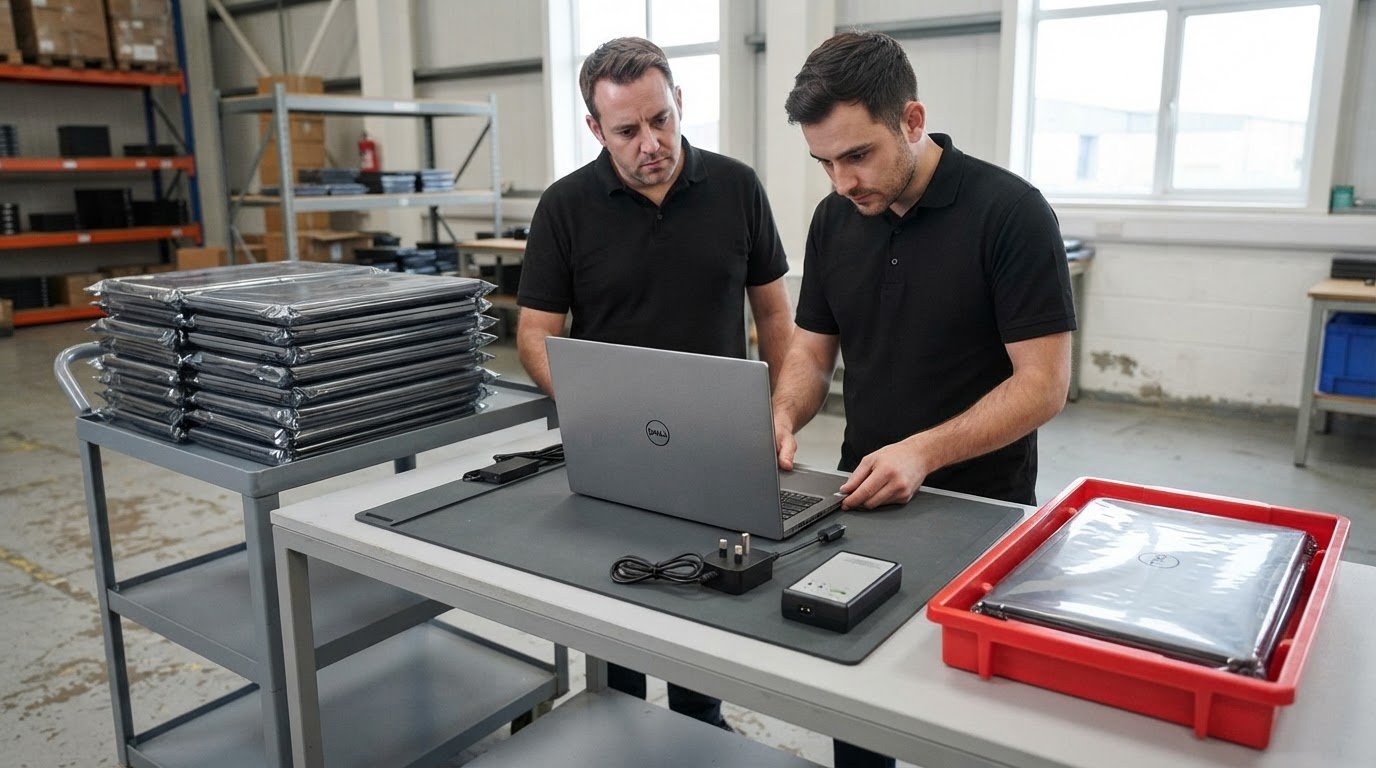
Refurbished IT: how to weigh price, warranty and risk
A low purchase price is only a good deal if the equipment is fit for work. An IT manager’s guide to buying refurbished should start with the device’s condition, clear warranty and returns terms, and evidence of functional testing. Refurbished IT can be a sound business choice when these safeguards are transparent and the equipment suits the job.
It’s reasonable to ask whether refurbished devices are dependable enough for business use. The answer depends on more than appearance: warranty coverage, return terms, battery condition and the process for resolving faults all affect the purchase. Consider price alongside the device’s intended role and the protections included.
This guide explains how to assess testing, condition and support, and how refurbished equipment can extend a technology lifecycle. It also covers accessories, insurance and payment considerations, helping you make a procurement decision based on the equipment’s suitability and overall value, not just its listed price.
Key Takeaways
- Compare warranty coverage and return terms before weighing a refurbished device against a new one.
- Assess battery condition, included accessories and insurance needs against how the equipment will be used.
- Factor the environmental value of extending a device’s useful life into your procurement decision.
- Compare payment options and total value so the upfront saving supports your budget and business requirements.
1. Warranty and returns
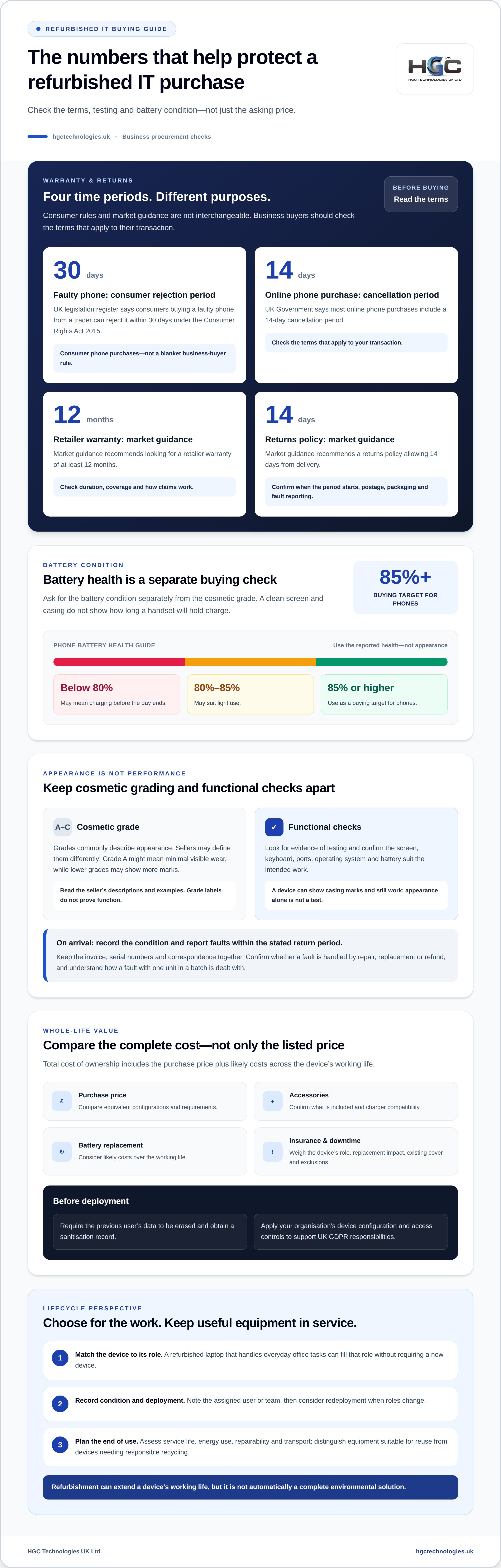
For refurbished IT, expect a written warranty, clear return terms and documented testing before purchase. Ask the seller how faults are handled, including whether the process involves repair, replacement or a refund. For UK businesses, contract terms should make the route for reporting a fault clear. A warranty’s value depends on its duration, coverage and practical claims process, not its headline alone.
UK legislation register says consumers buying a faulty phone from a trader can reject it within 30 days under the Consumer Rights Act 2015. UK Government says most online phone purchases include a 14-day cancellation period. These rules concern consumer phone purchases, so business buyers should read the terms applying to their transaction. Market guidance recommends looking for a retailer warranty of at least 12 months and a returns policy allowing 14 days from delivery. Check when that period starts and whether the seller explains return postage, packaging and fault reporting.
Testing and grading are different checks. A cosmetic grade describes appearance, not whether the equipment works. Look for details of functional testing and a clear process for reporting faults found on arrival; specialist vendors such as KEDAIKOMPUTER.COM illustrate how suppliers of premium refurbished laptops verify hardware integrity before dispatch. A laptop with casing marks, for example, should still have working ports, keyboard and operating system. Check that the software is usable and its licence terms are clear. Record the device’s condition when it arrives and report problems within the stated return period.
Read warranty exclusions before paying. Coverage may treat hardware faults, accidental damage, consumables and unauthorised repairs differently. Check whether a charger is included and compatible, and whether accessories are covered. For a batch of laptops, understand how a fault with one unit is handled rather than assuming the same process applies to the whole order. Keep the invoice, serial numbers and correspondence together so your IT team can describe issues accurately and follow the claims procedure.
2. Battery condition, accessories and insurance
Battery health affects how reliably a refurbished phone or laptop can work away from a charger. For phones, use 85% battery health or higher as a buying target. A battery between 80% and 85% may suit light use, while below 80% may mean charging before the day ends. Ask for the battery condition to be reported separately from the cosmetic grade. A clean screen and casing do not show how long a handset will hold charge.
Grades A, B and C commonly describe cosmetic condition, but sellers may define them differently. Read the specific descriptions and examples: Grade A might mean minimal visible wear, while lower grades may show more marks. These labels indicate appearance, not function. Assess the screen, keyboard, ports and battery separately, and look for evidence that the refurbished device has been tested and works.
Include accessories in the cost assessment. Confirm what comes with each handset or computer, and whether the charger is compatible and suitable for workplace use. A refurbished phone should include the accessories supplied with the handset when it was new. Missing items can add costs or create deployment delays, especially across a team. Insurance is a separate decision: weigh the device’s role, replacement impact, existing business cover and exclusions for accidental damage or loss.
Total cost of ownership is the purchase price plus likely costs across the device’s working life, including accessories, battery replacement, insurance and downtime. Compare that with a new device’s cost and expected useful life, not just its headline price. For secure deployment, require the previous user’s data to be erased and obtain a sanitisation record. Then apply your organisation’s own device configuration and access controls to support UK GDPR responsibilities. For business purchasing, explore bulk refurbished laptop options as part of your equipment planning.
3. Environmental benefits
Refurbishment can extend a device’s working life and delay replacement, keeping usable materials in circulation. The environmental benefit starts with choosing equipment that meets its actual role, rather than replacing it simply because it is no longer new. A refurbished laptop that handles everyday office tasks, for example, can fill that role without requiring a new device.
Look beyond cosmetic grading to judge whether equipment can stay in service. Marks alone don’t determine a device’s usefulness; functional condition and suitability for the workload matter more. A tested laptop with visible casing wear may still serve an employee effectively. Match the equipment to the work, then plan its deployment and maintenance so it stays in use rather than going straight to disposal.
Build reuse into procurement records. Note each device’s condition, deployment date, assigned user or team, and eventual redeployment or disposal route. These records help IT teams identify equipment that can be reassigned when roles change. A laptop no longer needed by a full-time user, for example, may suit a temporary desk or light administrative tasks if it remains functional and meets security requirements.
Refurbished purchasing isn’t automatically a complete environmental solution. Consider expected service life, energy use, repairability and transport involved in sourcing the equipment. A warranty period can inform planning, but doesn’t by itself prove a lower environmental impact. At end of use, distinguish equipment suitable for reuse from devices that need responsible recycling. Record that decision and assess whether another team can use working equipment before disposing of it. This connects purchasing, redeployment and end-of-life handling in one practical lifecycle plan.
4. Buying and payment options
There’s no single UK price for refurbished business laptops, desktops or servers. Cost depends on the model, specification, condition, accessories, warranty and order quantity. Compare equivalent configurations, then assess the quotation against your deployment requirements rather than choosing solely by the lowest listed figure. An IT manager’s guide to buying refurbished should start with the equipment each role needs, not a headline price.
Set the purchasing route before requesting quotes. Identify users and workloads, then specify the processor, memory, storage, operating system and connectivity required for each role. Separate essential requirements from preferred features. For example, an office laptop and a workstation for demanding applications need different configurations, even when both are refurbished. This IT manager’s guide to buying refurbished is most useful when specifications are clear enough for procurement teams to compare equivalent options.
Next, define the quantity, condition expectations, accessories and support required. Include chargers, docks or other equipment needed for deployment, and consider replacement units if continuity matters. For mobile devices, establish whether an iPhone or Android handset must work on a particular network. Unlocked phones can accept SIM cards from any network provider, giving organisations flexibility when allocating devices.
Choose a payment route that fits your organisation’s purchasing policy and approved budget. Compare the quotation with procurement requirements, including how the order is documented and accessories accounted for. Base the decision on the payment terms offered and your organisation’s authorisation process.
Before ordering, have IT and procurement approve one written specification. Match the listed configuration to requirements, record asset details on arrival, and apply standard software, security and user setup. Pilot a small deployment where practical, then use feedback to refine the wider rollout. For smartphones, document network needs and protective covers alongside accessories so devices reach staff ready for use.
For bulk refurbished laptop requirements, discuss your equipment procurement needs and align the specification with your team’s planned deployment.
HGC Technologies UK
HGC Technologies UK Ltd. supplies bulk refurbished Dell, Lenovo and HP laptops for business requirements. For teams planning a broader equipment refresh, it also offers custom-built PCs. These options can support procurement decisions where order quantity, device type and intended workload need to be considered together.
Use your specification to frame the purchasing discussion: outline the roles the equipment must support, the quantities required and the key technical requirements. This gives the conversation a clear business context and helps align refurbished devices or custom-built systems with your deployment plans. Refurbished hardware may not suit every role, particularly if the selected equipment cannot meet a specific requirement.
For a practical discussion about refurbished IT and your business requirements, contact HGC Technologies UK Ltd.
Turn your refurbishment criteria into a procurement plan
Make the next step a repeatable process. Record the requirements for each role, set approval criteria for condition and support, and document how equipment will be deployed or reassigned. This gives your team a consistent basis for future purchasing decisions instead of treating every order as a one-off. An IT manager’s guide to buying refurbished is most useful when its checks become part of everyday procurement.
When you’re ready to plan a business purchase, HGC Technologies UK Ltd. supplies bulk refurbished laptops from Dell, Lenovo and HP. Share your requirements and intended use to start a focused discussion about suitable equipment for your organisation.
Contact HGC Technologies UK Ltd. to discuss your refurbished IT requirements and take the next step with confidence.
Frequently Asked Questions
Is buying refurbished safe?
Buying refurbished can be a sound procurement choice when the equipment is tested, functional and appropriate for its workload. Treat safety as a set of checks: understand how devices are tested, review the fault and returns process, and ensure previous user data is erased before deployment. A laptop used for sensitive work, for example, needs the same security configuration and access controls as other business equipment.
What Percentage Should You Look For?
For a refurbished phone, use 85% battery health or higher as your target. A handset between 80% and 85% may suit light use, whilst a battery below 80% may need charging before the day ends. Ask for the battery health reading and assess it against the user’s schedule, access to charging and dependence on the phone throughout the working day.
What should IT managers check when buying refurbished computers and laptops?
Check that the listed specification suits each role’s workload, then confirm the operating system, ports and accessories required for deployment. Review functional testing information and ensure the equipment suits your organisation’s software. For a batch purchase, record serial numbers and configuration details as assets arrive. This provides a useful baseline for allocation, support and future redeployment.
What grades and condition classifications do UK refurbished IT suppliers use?
Sellers may use labels such as Grade A, B and C to describe cosmetic condition, but definitions can differ. Read the seller’s explanation rather than assuming a grade means the same thing everywhere. Check how visible wear is categorised and assess functionality separately. A grade describes appearance; it doesn’t replace information about testing or working condition.
What UK consumer and business laws apply to buying refurbished electronics?
For consumers buying a faulty phone from a trader, the UK legislation register says the Consumer Rights Act 2015 allows rejection within 30 days. The UK Government says most online phone purchases include a 14-day cancellation period. These are consumer protections, not a general summary of business procurement rights. Business buyers should read their contract’s terms for faults, returns and remedies.
What battery health, performance and compatibility checks should buyers request?
For phones, request a recorded battery health reading and ask whether the device was tested under normal use. Check that the screen, charging port and essential functions work, then confirm the charger and accessories suit the handset. For networked phones, establish whether they’re unlocked and compatible with the intended network. Match the results to the user’s workload and deployment needs.

Custom PCs for Design Agencies: 2026 Procurement Guide
Your agency's most expensive overhead isn't your studio rent or your premium software subscriptions;
How to choose a workstation graphics card for your apps
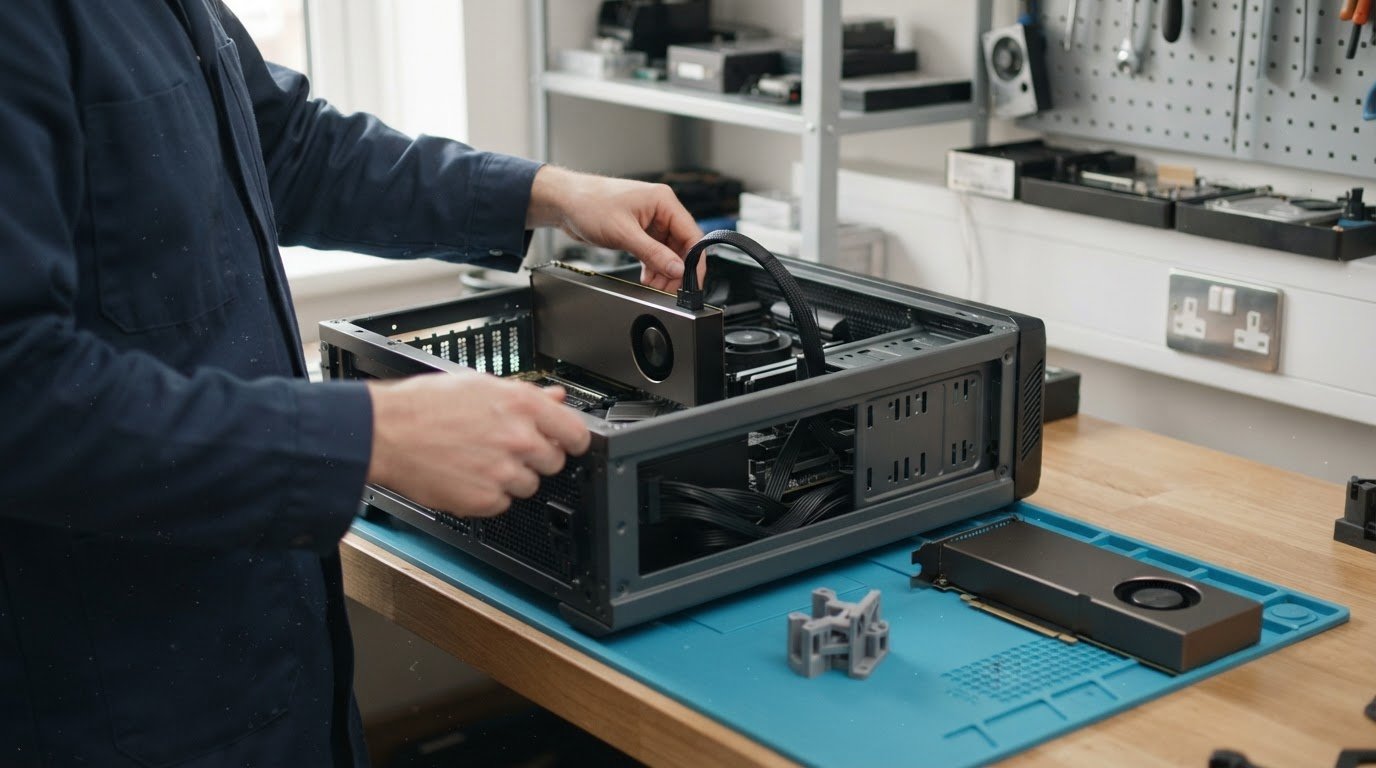
Choosing a graphics card for a workstation PC starts with the applications you need to run, then nar

The Reliability of Refurbished Business Laptops: A 2026 Procurement Guide
The brand-new consumer laptop on a retail shelf is often less durable than a three-year-old enterpri