
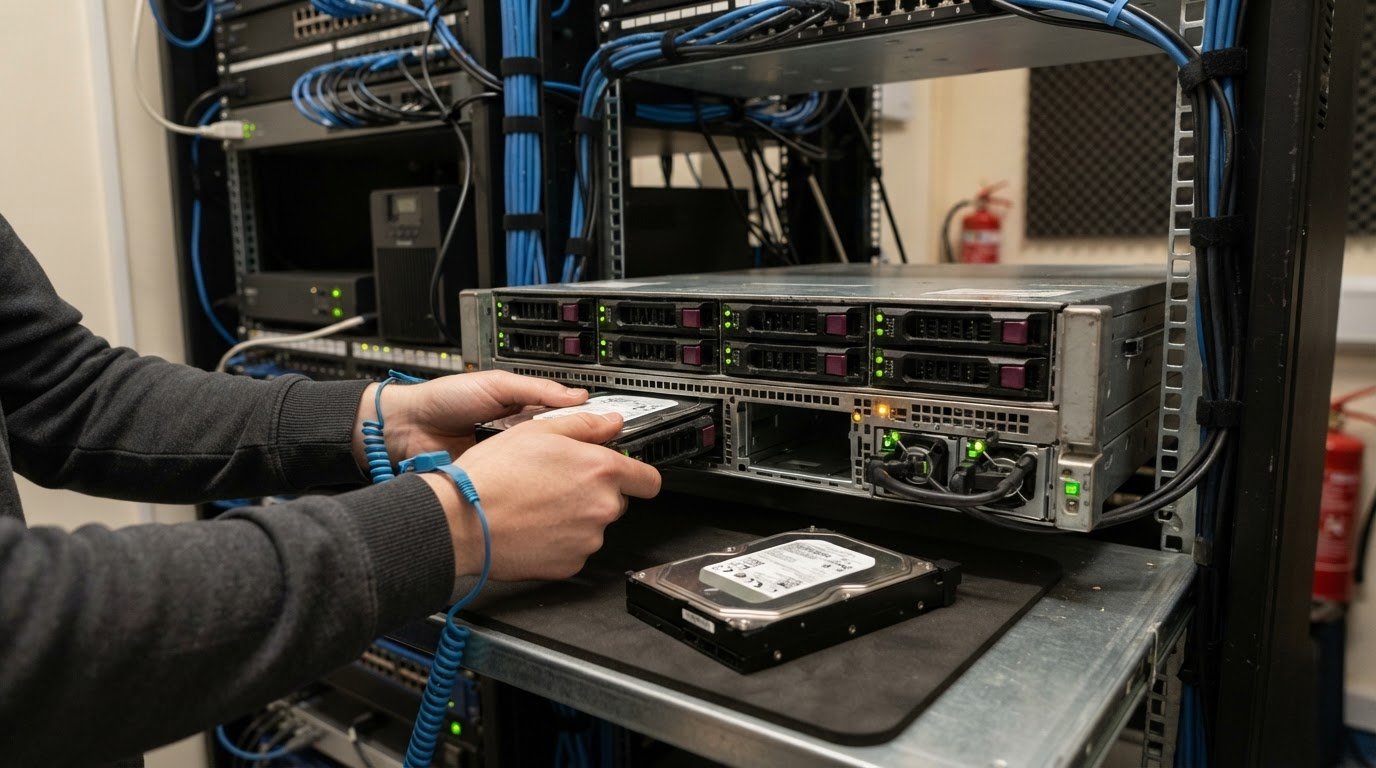
RAID Configurations for Business Servers: Which Should You Choose
There’s no single best choice: RAID configurations for business servers should match the workload. For a small business server, RAID 1 is suitable for the operating system; RAID 6 suits file storage where capacity and resilience matter, while RAID 10 on SSDs can suit a busy database or several virtual machines that need write performance. RAID protects availability when a drive fails, but it isn’t a backup.
Choosing a RAID configuration means balancing usable capacity, performance and drive-failure tolerance. The right setup depends on what the server runs and how much downtime the business can tolerate, not simply on choosing the highest RAID level.
This guide explains how striping, mirroring and parity work, when a server needs RAID, and what the main configurations offer. You’ll see why RAID 0 is unsuitable for production data, how RAID 1, RAID 5, RAID 6 and RAID 10 differ, and which trade-offs to consider for a small business server.
Key Takeaways
- Match the array to the server’s workload: file storage, databases and virtual machines place different demands on capacity and performance.
- Consider RAID 1 for the operating system, RAID 6 for resilient file storage, or RAID 10 when write performance is a priority.
- Choose with usable capacity and drive-failure resilience in mind; higher performance can come with a storage trade-off.
- Keep a separate backup strategy: RAID can help a server stay available after a drive failure, but it cannot replace backups.
What is the best RAID for a small business server?
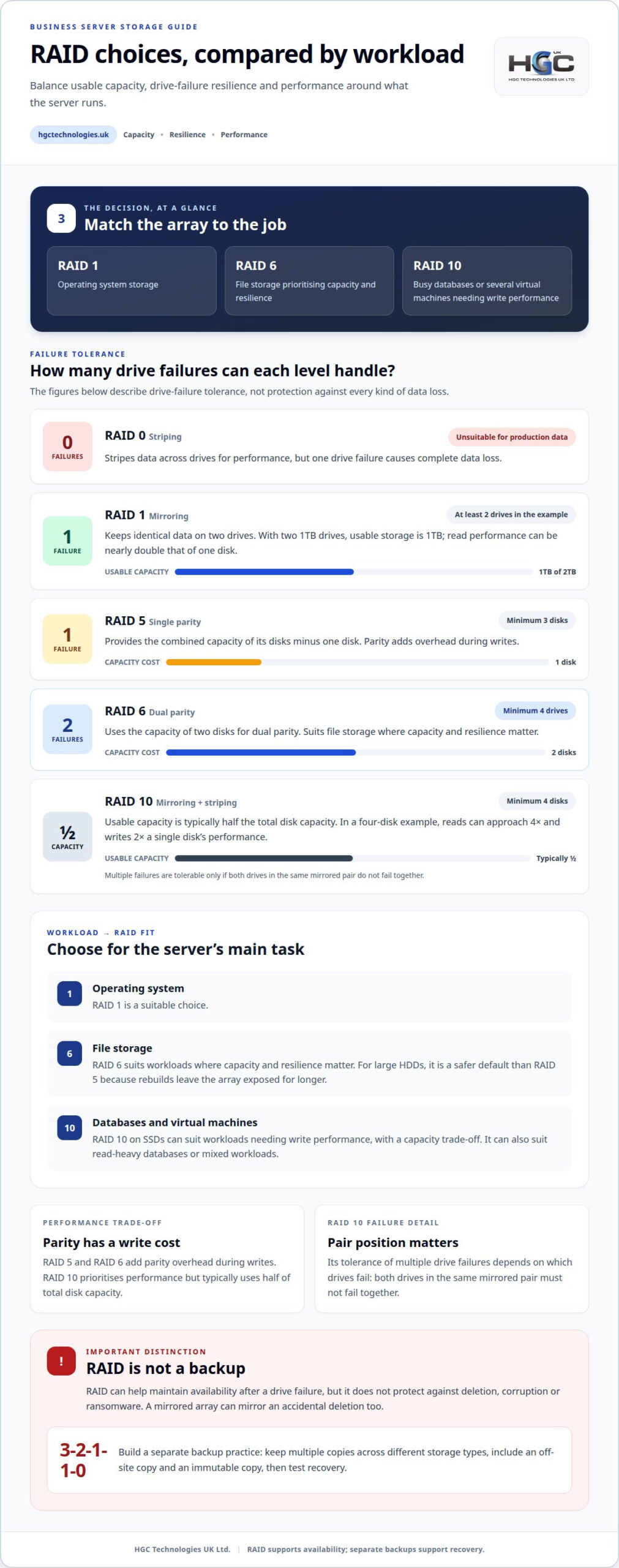
There’s no universal best: RAID 1 suits operating systems, RAID 6 file storage, and RAID 10 databases or virtual machines. RAID configurations for business servers should match the workload. Common levels include RAID 0, 1, 5, 6 and 10. RAID 0 tolerates no drive failures; RAID 1 and RAID 5 tolerate one, RAID 6 tolerates two, while RAID 10 depends on which mirrored drives fail.
Balancing Capacity, Resilience and Performance
Choosing an array means balancing usable storage, I/O performance and resilience to drive failure. That matters because file servers and databases make different demands. RAID 5 provides the combined capacity of its disks minus one disk; RAID 6 uses the capacity of two disks for dual parity. For large HDDs, RAID 6 is a safer default than RAID 5 because rebuilds leave the array exposed for longer.
Comparing Storage Performance by RAID Level
Each RAID level affects how drives share data and handle requests. With two 1TB drives, RAID 1 provides 1TB of usable storage, and read performance can be nearly double that of one disk. RAID 5 and RAID 6 add parity overhead during writes. RAID 0 stripes data for performance, but one drive failure causes complete data loss, making it unsuitable for production systems.
RAID 10 Performance and Redundancy
RAID 10 combines mirroring and striping, balancing performance with drive-failure protection. It requires at least four disks, and usable capacity is typically half the total disk capacity. In a four-disk example, reads can approach four times a single disk’s performance, while writes can approach twice. Multiple failures are tolerable only if both drives in the same mirrored pair don’t fail together.
Choosing RAID for Server Workloads
For databases or several virtual machines needing write performance, RAID 10 on SSDs can be suitable, with a capacity trade-off. File servers prioritising capacity and resilience can use RAID 6. RAID 10 can also suit read-heavy databases or mixed workloads. Matching RAID configurations for business servers to the main workload helps balance storage capacity, performance and the impact of drive failure.
What Is a RAID Configuration?
A RAID configuration combines multiple drives into an array, allowing a server to distribute or mirror data across them. It can maintain access after some drive failures, but it doesn’t protect files from deletion, corruption or ransomware.
For a new server, the RAID level is selected to suit the workload, then configured through the controller and initialised before storage is prepared for the operating system and data. Initialisation establishes the array; it does not create a separate backup.
A RAID controller’s battery backup unit protects cached write data during a power interruption, helping prevent incomplete writes. It supports the controller’s operation, but cannot recover accidentally deleted data or reverse malicious changes, so it is not a substitute for a backup.
Build a separate 3-2-1-1-0 backup practice around the server. Keep multiple copies across different storage types, include an off-site copy and an immutable copy, then test recovery so backup errors can be identified. Immutability helps protect a copy from alteration or deletion, including during a ransomware incident.
RAID rebuild time depends on the drives, array size and server activity; HDD rebuilds can take longer and leave the array exposed to further problems for longer. During a rebuild, another drive failure may threaten data, so maintain current backups and monitor the array’s status. Without RAID, downtime and restoration after a drive failure could take 5 or more hours.
RAID helps a system withstand drive failure, while backups address broader data-loss risks. For example, a mirrored array may keep operating after a drive fails, but it also mirrors an accidental file deletion. A separate backup can provide a recovery point from before the deletion.
For a professionally planned server and storage setup, explore HGC Technologies UK Ltd.’s Server Solutions.
RAID concepts: striping, mirroring and parity
RAID arrays distribute data across drives using striping, mirroring or parity. These methods affect performance, usable capacity and the array’s response to drive failure.
RAID 1 Disk Mirroring
RAID 1 disk mirroring writes identical data to two drives, keeping a copy if one disk fails. That matters when continuity is more important than using every drive’s full capacity. For example, two 1TB drives in RAID 1 provide 1TB of usable storage. The surviving drive can keep the array operating after a single disk failure, but mirroring does not protect against file deletion or corruption.
RAID 1 also illustrates the difference between redundancy and extra capacity: the second drive duplicates the first rather than adding space. Read performance can be nearly double that of a single disk, while writes must maintain matching copies. This makes the arrangement straightforward, but it doesn’t increase usable capacity as drives are added in mirror pairs.
Disk Requirements for RAID Levels
Minimum drive counts determine which RAID levels can be built and how much storage they can use. RAID 5 requires three or more disks, RAID 6 needs at least four drives, and RAID 10 requires at least four disks. These thresholds matter when planning the array, because each level distributes data differently and provides different failure protection.
Striping splits data across drives, allowing parts of a file to be read or written in parallel. RAID 0 uses striping without redundancy, so a single drive failure causes complete data loss. RAID 10 combines striping with mirrored pairs; it can withstand multiple failures only if both drives in the same pair don’t fail together.
Parity stores recovery information alongside data rather than keeping a complete second copy. RAID 5 uses parity to withstand one drive failure, while RAID 6 uses dual parity to withstand two simultaneous drive failures. Both levels add overhead during writes, so a server’s workload helps determine whether their capacity and resilience trade-offs suit its storage needs.
Whether business servers need RAID
Many business servers hosting shared files, databases or virtual machines benefit from RAID, but it is not essential for every server. RAID configurations for business servers should reflect what a drive failure would interrupt, how quickly service must resume and whether restoring data is an acceptable response.
Start with the workload. If staff rely on a file server throughout the working day, RAID can help keep storage accessible when a supported drive fails. A busy database or virtual-machine server may also need an array suited to its performance demands. A server holding temporary or easily recreated data may not need the same level of drive-failure protection.
Consider the impact of interruption as well as the data itself. A failure affecting a shared business application can disrupt several teams, while a failure on a non-critical system may have a narrower impact. RAID can reduce the risk that one drive failure immediately takes an array offline, but the chosen level determines how many drive failures it can tolerate.
Also weigh capacity and rebuild exposure. RAID 6 provides dual parity, which can be valuable in large HDD arrays where rebuilding takes longer and the array remains exposed to further problems. A hot spare can begin rebuilding automatically after a drive failure, reducing the period of risk. These features add complexity and affect usable storage, so they should address a clear operational need.
The practical answer is to specify RAID for servers where continued access matters, then match the level to the workload and acceptable recovery window. RAID 1 can protect an operating-system volume; RAID 10 suits performance-sensitive applications, while RAID 6 can suit file storage requiring capacity and resilience. Selecting RAID configurations for business servers this way keeps the decision tied to business priorities. None makes backups unnecessary: deletion, corruption and ransomware can affect data across an array. Treat RAID as an availability measure, and keep a separate recovery plan for lost or damaged files.
HGC Technologies UK: Server Solutions
HGC Technologies UK provides Server Solutions for businesses planning storage around their workloads. When specifying a new server or reviewing an existing setup, consider what it will run, how much usable capacity it needs and how the business would manage downtime after a drive failure. These requirements help guide decisions about RAID, storage performance and resilience.
Bring those priorities into a discussion about your server requirements. HGC Technologies UK offers Server Solutions alongside other relevant hardware, including Custom-built PCs, Bulk Lenovo Refurbished Laptops and Bulk HP Refurbished Laptops. The right choice depends on the role each system needs to fulfil, not on a RAID level in isolation.
Contact HGC Technologies UK to discuss your business server requirements.
Plan your next infrastructure decision
Make the RAID decision part of a broader infrastructure plan. Consider how server requirements may change as applications, data and teams evolve. This helps keep storage decisions aligned with the work the business needs its systems to support.
RAID configurations for business servers are one part of that plan; procurement can also cover the equipment employees use every day. HGC Technologies UK offers Bulk Dell Refurbished Laptops, Bulk Lenovo Refurbished Laptops and Bulk HP Refurbished Laptops, alongside Server Solutions. Considering these needs together can bring server and user-device planning into the same conversation.
Bring your business requirements into the next discussion and explore a solution that fits the role your systems need to fulfil. Discuss your server requirements with HGC Technologies UK.
A considered next step can help your technology support the business with clarity and purpose.
Frequently Asked Questions
How Does RAID Improve Reliability and Data Protection?
RAID can improve service availability by allowing an array to continue operating after certain drive failures, depending on its level. It does not make every component redundant, so a controller fault or wider server outage may still interrupt access. Monitoring drive alerts and rebuild progress can help identify when an array is operating with reduced protection and needs attention.
How much usable storage capacity does each RAID configuration provide?
With equal-sized drives, RAID 0 provides their combined capacity; RAID 1 provides the capacity of one drive in a mirrored pair. RAID 5 provides combined capacity minus one drive, and RAID 6 minus two. RAID 10 typically provides about half the combined capacity, because it stores mirrored copies. These are planning estimates; the selected drives and array layout determine the usable figure.
How do hardware RAID and software RAID compare for business servers?
Hardware RAID is managed by a dedicated controller, while software RAID is managed by the server’s operating system. The distinction matters for workload and system-resource planning: software RAID 5 uses the server’s CPU for parity calculations, which can make it unsuitable for production. A provider weighs the RAID level, server workload and management requirements when selecting an approach.
Does RAID protect against ransomware, accidental deletion or server failure?
No. RAID does not provide a separate recovery copy, so ransomware or accidental deletion can affect data across the array. It also cannot guarantee access if the wider server fails. Keep independent backups and test restoring important files and services. This checks that the recovery process works, not just that backup jobs report completion. Use RAID for drive resilience, not as a replacement for recovery planning.
How do you configure RAID on a server and initialise a new array?
Choose a RAID level suited to the server’s workload, configure it through the RAID controller and initialise the array before preparing storage for the operating system and data.

Managing IT Assets Across Multiple Office Locations: A Practical Guide
What if a laptop listed at one office is already in use at another, while a spare device sits unnoti
Right to Repair and What It Means for Corporate IT Buyers
The UK’s statutory repair rules cover specified products, not every electronic device used by a bu
Managing Warranties for a Fleet of Refurbished Laptops: The 2026 Procurement Guide
A 2024 study of 500,000 devices confirmed that enterprise laptop failure rates stay as low as 0.2 pe